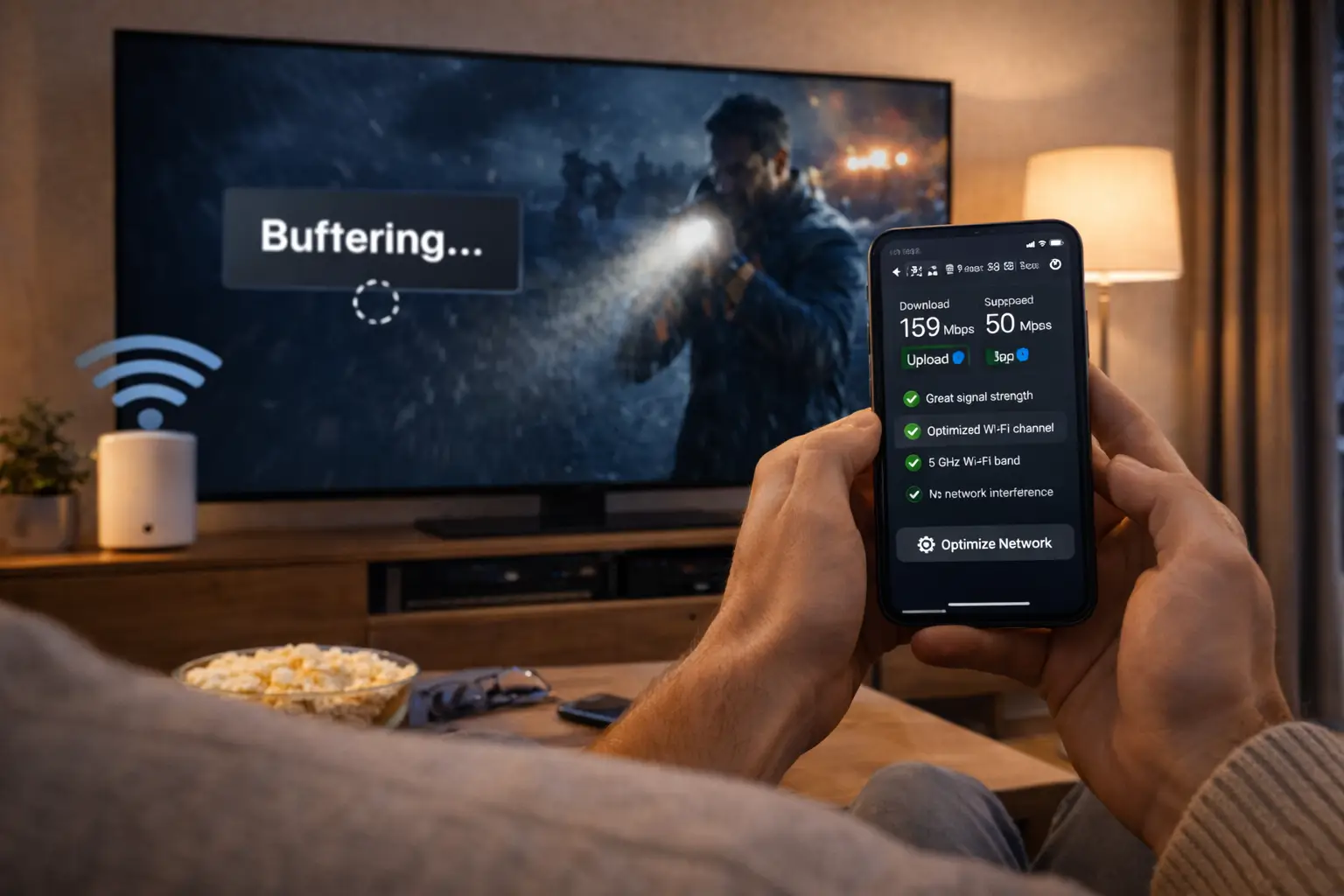
An IPTV subscription 12 months long is the calmest way to handle TV at home: one decision, one payment, and nothing more to think about until next year. You choose a pack, select the yearly duration and receive your access by e-mail within minutes. This page explains why the yearly format costs the least per month, how each pack behaves over four seasons, how to keep your setup healthy all year and how to plan the end of the period without a gap. For current prices, see the plan cards on the IPTV subscription plans page.
Many Canadian homes reach the yearly plan in two steps: a short duration first to confirm that everything runs smoothly on the living room TV, then a full year once they are sure. Others already know the service and go straight to twelve months. Both routes are sensible. What matters is that the decision is made on facts about your own home, and that is what the sections below help you gather.
What an IPTV subscription 12 months long gives you
A yearly plan carries exactly the same content and rules as any other duration. You are not buying a different service, only a longer period of access at a lower cost per month. The figures below are the published catalogue sizes for each pack, unchanged whether you order one month or twelve.
Around the catalogue, a yearly plan includes the same delivery and service as every other duration:
- Access sent by e-mail within minutes, as Xtream Codes details or an M3U link.
- 1 simultaneous connection, with the same credentials installable on several devices in your home and used one at a time.
- One payment in Canadian dollars by card or PayPal, no contract and no automatic renewal.
- Support 7 days a week by e-mail and WhatsApp, in English and French, for all twelve months.
The difference is in how the year feels. Instead of twelve checkouts, twelve end dates and twelve chances to forget, you have one. For a household that knows what it wants, that simplicity is worth as much as the lower cost per month.
It also changes how you relate to the service. On a short plan, every few weeks brings a small decision: reorder, switch, pause. On a yearly plan, the decision is made once, carefully, and then the TV simply works in the background of family life. That is why we suggest giving the choice of pack a little more thought than usual before a year, and the sections below are built to help with exactly that.
Why an IPTV subscription 12 months long costs less per month
Every pack is sold for 1, 3, 6 or 12 months. The longer the period, the lower the cost per month, and the yearly option sits at the bottom of that scale. The reason is plain: one payment for a full year means less processing, fewer reorders to handle and a steadier relationship with each household. That saving is reflected in the price.
You do not need to take our word for it. Here is a quick check you can run on the current prices.
- Choose one pack. Open the plans page and stay on the same pack for the whole comparison.
- Note four prices. Write down the price shown for 1, 3, 6 and 12 months.
- Bring them to one month. Divide the 3-month price by 3, the 6-month price by 6 and the 12-month price by 12.
- Line them up. Place the four monthly figures side by side; the yearly one will be the lowest.
- Picture the whole year. Multiply the 1-month price by 12 and set it next to the single 12-month payment to see the full gap.
Tip: compare on the pack you will really use. Setting a yearly price on one pack against a monthly price on another gives a distorted picture, and so does comparing a one-connection price with an offer that claims several screens.
Our page on the IPTV Canada price goes deeper into how pricing is built and lists the warning signs of offers that look too good. If you are still at the testing stage, the monthly IPTV subscription page explains how to use a short plan as a structured test before committing.
The three packs over a full year
The yearly duration is available on all three packs. The pack decides what you watch; the duration decides for how long. Over twelve months, small differences in habits add up, so it is worth matching the pack to your household carefully.
| Pack | Live channels | Series | Movies | Year-long fit |
|---|---|---|---|---|
| Premium Pack | 20,000+ | 24,000+ | 100,000+ | Everyday family viewing in HD, Full HD and 4K |
| VIP Premium Pack | 27,000+ | 61,000+ | 155,000+ | Homes that follow series all year in HD, Full HD and 4K |
| Ultimate 4K Pack | 57,000+ 4K channels | 47,000+ | 179,000+ | Complete 4K setups, with 20 servers in Europe |
Premium over twelve months
The Premium Pack over a full year is the classic choice for a home that watches live TV most evenings and a film at the weekend. The line-up is broad and the movie library deep, without paying for a series catalogue the household will not explore.
VIP Premium over twelve months
Series take time. With more than 61,000 series, the VIP Premium Pack is the pack that gains most from a long duration. If someone at home always has a show on the go, a full year lets them work through seasons at their own pace without watching the calendar.
Ultimate 4K over twelve months
The Ultimate 4K Pack makes sense for a year only when your setup is fully ready: a 4K television, a 4K-capable device and a connection that holds 25 Mbps per screen comfortably in the evening. The section on 4K further down explains how to confirm that before you commit.
Are you ready for a full year
A yearly plan is a commitment of money, not of contract. It pays off when you already know the service fits your home. The two columns below help you decide honestly whether that is the case today, or whether a shorter duration first would be wiser.
Go for twelve months if
- You have tested IPTV on your own TV and Wi-Fi and the picture is stable in the evening
- Your connection gives 10 Mbps per screen for HD, 15 Mbps for Full HD or 25 Mbps for 4K
- Your player is installed from the official app store and works well
- One stream at a time suits your household, or you have already asked support about more
- You want the lowest cost per month and a single payment
Start shorter if
- You have never used IPTV in this home
- A move or a new internet line is planned in the coming months
- The TV room sits far from the router and you have not tested it
- You are torn between two packs
- Several people expect to watch at the same time every night
If every line on the left applies, the 12-month duration is very likely your best value. If one line on the right applies, a 1, 3 or 6-month plan lets you settle that question first. Moving up later is simple: when the shorter period ends, you order the yearly plan on the pack you have confirmed.
Some players charge for a publisher licence; check the current price on the app’s official website. We are independent from app publishers and do not sell or activate those licences, so factor that into your yearly budget separately if your player asks for one.
Setting up every screen at the start of the year
The first week of a yearly plan is the best time to set up every device the household will use, carefully and once. A login entered properly on day one saves a dozen small frustrations later, when someone tries to watch on a tablet that was never configured or a bedroom stick still holding an old profile.
Start with the main TV, because it carries most of the viewing. Then add the second screens one by one, test each with a channel and a movie, and stop playback before moving to the next device. Remember that only one can play at a time, so testing them in sequence also shows everyone in the house how the rule works in practice.
| Device | Where to get the player | Useful note for a full year | Step-by-step page |
|---|---|---|---|
| Samsung or LG smart TV | The TV’s own app store | Store listings vary by model; keep the TV’s software updated | Smart TV guide |
| Fire TV Stick | The device’s official app store | Clear the player cache now and then to keep menus quick | Firestick guide |
| Android TV or Google TV box | The official store on the box | The widest choice of players; a cable connection helps 4K | Android box guide |
| Apple TV, iPhone, iPad | The App Store | Update the player along with the system | Apple TV guide |
| Android phone, tablet, PC | The official store for the device | Handy second screens when the TV is off | Devices hub |
Each device has its own walkthrough: IPTV on Samsung and LG smart TVs, IPTV on Firestick, IPTV on an Android TV box and IPTV on Apple TV and iPhone. If you are unsure which player to install, the IPTV apps hub compares IPTV Smarters Pro, TiviMate, IBO Player, XCIPTV and the others we support. Install players only from your device’s official app store; we are independent from their publishers.
Deep dive: naming profiles so the household never gets lost
Most players let you name each login profile. Over a year, clear names prevent confusion when someone opens the app on a device they rarely use. Use the room or the person rather than a generic label: “Living room”, “Basement”, “Tablet”. If support ever sends you updated details, you will know exactly which profiles to edit, and you will not leave an old one lingering on a forgotten device.
From order to activation date
Ordering a yearly plan works exactly like any other duration and takes a few minutes. The one extra habit worth adopting is to record your activation date clearly, because it marks the start of your twelve months and the date you will plan around next year.
- Step 1
Choose the pack
Premium, VIP Premium or Ultimate 4K, based on what your household watches across a normal week.
- Step 2
Select 12 months
See current prices on the plans page and confirm the duration and total in Canadian dollars in your cart.
- Step 3
Pay once
Pay by card or PayPal. One charge covers the whole year, and nothing renews automatically.
- Within minutes
Receive your access
Your Xtream Codes details or M3U link arrive by e-mail. Check spam and promotions if needed.
- Same day
Record the date
Log in on your main screen, then note the activation date in your phone’s calendar with a reminder ahead of the end.
Store the access e-mail where you will find it in eleven months, not just tomorrow. A folder named after the service, a pinned message or a note in a password manager all work. Over a year you may add a device, replace a TV or reinstall a player, and each time you will need those details again. The checkout itself is described on our page about paying for your IPTV subscription in Canada.
A year of IPTV in a Canadian home, season by season
A full year crosses every kind of viewing habit: long winter evenings, busy spring weekends, summer weeks at the cottage and the return to routine in the fall. Each season brings its own small checks. Planning for them keeps the year smooth.
| Season | How viewing usually changes | What to check |
|---|---|---|
| Fall | Routines return, evenings in front of the TV grow | Evening speed at the main TV, player updates after the summer |
| Winter | Long evenings, more people home at the same time | The one-screen rule at peak hours, Wi-Fi reach to the basement or bedroom |
| Spring | Busier weekends, more viewing on phones and tablets | Login saved on mobile devices, mobile data versus home Wi-Fi |
| Summer | Trips, cottages, guests in the house | The connection where you are staying, credentials kept within your household |
Winter is the season that tests a home network most. More people are home, more devices are online and the evening peak lasts longer. If your plan began in the summer, run a fresh speed test at the TV once the colder months arrive. If the result has dropped below the figure for the quality you watch, move the device closer to the router, switch it to the 5 GHz band or use a network cable.
Summer raises a different question: what happens at the cottage. Your login can travel with you on a phone, a tablet or a stick plugged into another TV, as long as it is still used by your household and only one screen plays at a time. Check the connection on site before you count on it; rural lines vary a lot, and 10 Mbps per screen for HD remains the floor.
Keeping your setup healthy all year
Twelve months is long enough for apps, routers and TVs to change under you. A few habits, repeated every season, prevent most of the issues people run into mid-year.
Update the player
Install updates from the official app store when they appear. Old versions are a frequent cause of odd behaviour.
Restart the router
A restart now and then clears small network hiccups that build up over weeks of constant use.
Refresh the guide
Refresh the TV guide in the player settings if programme times drift or the grid looks empty.
Clear the cache
On boxes and sticks, clearing the player’s cache from the device settings keeps menus quick.
Guard your login
Keep the access e-mail private and never post it. Credentials stay inside your household.
Test the speed
Run an evening speed test at each TV when the seasons change or a new device joins the network.
None of these takes more than a few minutes, and together they cover most of what can drift over a year. If something still goes wrong, our IPTV troubleshooting hub sorts problems by symptom, from buffering to a black screen, and support answers 7 days a week if you get stuck.
One more habit is worth adopting: when you add a device mid-year, set it up with the same care as on day one. Use the official app store, copy the details from your access e-mail exactly and give each profile a clear name, so you always know which screen is which.
Finally, keep an eye on the devices themselves. A streaming stick that has run every evening for months can slow down as its storage fills with cached posters and guide data. Clearing that cache, or simply restarting the device once a week, keeps menus responsive. Older smart TVs benefit from the same care, and if one starts to struggle late in the year, an external box is often a cheaper fix than a new screen.
Settle the year in one step
Pick a pack, choose 12 months and pay once in Canadian dollars. Current prices are on the plans page.
When life changes in the middle of the year
A year is long. People move, replace TVs, change internet providers and welcome new members into the household. A yearly plan adapts to most of these changes without fuss, because the access is tied to your login, not to a line or an address. The scenarios below show how to handle each one.
Your access moves with you. Once the internet is connected, reinstall or reopen the player and log in with the same details.
Then: run an evening speed test in the new TV roomInstall a supported player from the new device’s official app store and enter the details from your access e-mail.
Then: check the device page for that modelNothing changes on our side. Restart the new router, reconnect each device and confirm the speed at each screen.
Then: switch the TV to 5 GHz or a cableMore people often means more moments when two want to watch at once. Plan screen time or ask about extra screens.
Then: write to support for conditions and priceIf you want to change pack before your year is up, contact support and the team will explain your options. Otherwise, the simplest moment to change pack is when you reorder at the end of the period. Keep notes during the year on how often you opened series, movies and live TV; they make that decision quick.
Moving between provinces does not change how the service works. Bilingual and Québec households can keep writing to support in French, and English-speaking homes in English, wherever the TV ends up.
One connection, twelve months: planning screens in the household
Each pack includes 1 simultaneous connection, and the yearly plan is no exception. You can install the same credentials on a smart TV, a Fire TV Stick, a tablet and a phone, but only one of them can stream at any given moment. Over a whole year, it pays to set up a household routine rather than discover the rule during a busy evening.
The routine that works for most families is simple. The main TV has priority during shared evenings. Other devices take over when it is off. And everyone stops playback when leaving a room, rather than letting a stream run on an empty screen and block the next person. Our page on IPTV on multiple screens describes these habits in detail.
Watch out: a twelve-month plan still includes 1 simultaneous connection. If your household needs more screens playing at once, ask through the contact page before ordering; support will give you the conditions and price. Never share your credentials with another household, even a relative’s: access is for one home only.
Choosing 4K for a whole year
The Ultimate 4K Pack is the most demanding choice for a yearly plan, because every link in the chain has to hold for twelve months. A 4K TV alone is not enough. The device running the player has to output 4K, the connection at that TV has to sustain 25 Mbps in the evening, and the household’s other uses of the line have to leave room for it.

The 4K readiness check
- The TV is a 4K model with an HDMI 2.0 or HDMI 2.1 input in use.
- The box, stick or smart TV app outputs 4K.
- An evening speed test at the TV shows at least 25 Mbps.
- Other heavy uses at home leave enough room on the line.
- The TV sits on a cable or close to the router on 5 GHz.
If you tick every line, the Ultimate 4K Pack gives you 57,000+ 4K channels, 47,000+ series and 179,000+ movies for the full year, with 20 servers in Europe. If one line is missing, consider a shorter 4K period first, or a year on the Premium or VIP Premium Pack, which also offer 4K where your setup allows it while being more forgiving in HD and Full HD.
Our guide to 4K IPTV explains each requirement in plain language, and the best IPTV box page helps if your current device is the weak link.
No automatic renewal, no contract
A yearly plan with us is not a yearly contract. You make one payment in Canadian dollars, by card or PayPal, and your access runs for twelve months from activation. When the period ends, it stops. Nothing is charged again unless you decide to place a new order.

What that means in practice
- No date to remember for cancelling before a renewal.
- No early termination fee, because there is no contract to end.
- No surprise charge on your card or PayPal account next year.
- At the end, you choose: reorder, change pack or stop.
The flip side of no renewal is that continuity is in your hands. If you want to keep watching without a break, you need to reorder before the end date. The reminder you set on activation day takes care of that; the section on reordering below gives a simple timetable.
A short note on legality, since a year is a longer commitment: the technology is legal; whether a service is legal depends on the broadcasting rights it holds, so check before subscribing. Our guide Is IPTV legal in Canada? lists the questions worth asking any provider.
Before any long purchase, it is also worth checking a provider against objective criteria rather than impressions. Our page on IPTV Canada reviews explains how to judge a service on clear pricing, honest connection rules, renewal terms and reachable support, and how to read online opinions with a critical eye. Apply those criteria to us as much as to anyone else.
Budgeting with one payment instead of twelve
Beyond the lower cost per month, a yearly plan changes how TV fits into a household budget. Instead of a recurring line that appears every few weeks, there is one known amount, paid once, and then nothing until the following year.
A single payment you chose is easier to live with than a small charge you keep forgetting about.
For some homes, that predictability is the main appeal. Students sharing a flat, retirees on a fixed income and families who plan expenses by the season often prefer to settle a cost once and stop thinking about it. For others, a single larger payment is harder to fit in a given month, and a 3 or 6-month plan spreads the cost while still lowering it compared with the monthly format.
There is no wrong answer, only the one that suits your cash flow. Use the letter method on the price page to see the full picture: the yearly payment against twelve monthly payments on the same pack. Then ask yourself one question: am I confident the household will still be watching in the same way in the second half of the year? If yes, the yearly plan is the better deal. If you hesitate, a 6-month plan is a reasonable compromise.
Tip: pick the payment method you will still have access to in a year. If you pay by card, a card due to expire soon is no problem for this order, since nothing renews, but keep it in mind for next year’s checkout.
Habits that make a yearly plan feel expensive
A yearly plan gives the lowest cost per month, yet some households end the year feeling they overpaid. In almost every case, the reason is a habit rather than the plan. Here are the ones we see most, with the way to avoid each.
- Choosing the pack on catalogue size alone. A larger library is only better if the household opens it. Pick on habits, not on the biggest number.
- Paying for 4K on a Full HD setup. Without a 4K TV, a 4K device and 25 Mbps at the screen, the Ultimate 4K Pack cannot show its strengths.
- Ignoring the one-screen rule. If two people want to watch every night, a year of small conflicts follows. Plan screen time or ask support first.
- Never touching the setup. A player that has not been updated in months and a router that has never been restarted make any service look worse than it is.
- Forgetting the end date. An unexpected gap at the end of the year spoils the impression of a smooth twelve months.
A simple yearly review
Once per season, take five minutes: run an evening speed test at the main TV, update the player, restart the router and ask the household whether anything bothered them. Write the answers down. When the year ends, those four short notes tell you exactly which pack and duration to choose next, and they turn a vague feeling into a clear decision.
None of these habits is a reason to avoid a yearly plan. They are reasons to start the year with a little preparation and keep a light routine. Households that do both usually find that twelve months is the most comfortable way to watch, as well as the least expensive per month.
Twelve months compared with six
For households that are almost sure but not quite, the real choice is often between six and twelve months. Both lower the cost per month compared with shorter durations; the question is how much certainty you have about the second half of the year.
| Point of comparison | 6 months | 12 months |
|---|---|---|
| Cost per month | Low | Lowest of all durations |
| Single payment | Medium | Largest |
| Reorders over a year | Two | One |
| Room to change pack | At the half-year mark | At the end of the year, or via support |
| Same pack content and rules | Yes | Yes |
| Automatic renewal | No | No |
Six months suits a home that expects a change, such as a move or a new TV, partway through the year and wants a natural moment to reconsider. Twelve months suits a home where nothing major is on the horizon. If you are still deciding between packs, six months gives you a built-in checkpoint; if the pack is settled, twelve months simply costs less per month.
Three months also has its place, mostly as a bridge. A household that has just finished a test month but expects a change at home soon can take a season of viewing, confirm everything once the change has happened, and then move to a full year with complete confidence. Each step keeps the same content and rules; only the cost per month and the number of checkouts change along the way.
Support across the twelve months
Over a full year, almost every household has at least one question: a new device to add, a TV guide that drifts, a router change that confuses the player. Support is part of the plan for its whole duration, 7 days a week by e-mail and WhatsApp, in English and French, and it treats a question in month ten exactly like a question on day one.
Setup help
Adding a profile on a new TV, box or phone, or choosing between Xtream Codes and M3U.
Guide issues
A TV guide that is empty or shifted, with the right offset for your player.
Extra screens
Conditions and price if your household needs more simultaneous connections.
Two languages
Answers in English or French, whichever suits the person at the TV.
To get a quick, useful answer, describe the device and player, say what appears on screen, mention whether the problem affects every channel or only some, and attach a speed test taken on the device. Never send your password in a public place or your card details by message; our team will never ask for them.
Renewing an IPTV subscription 12 months later
When the year draws to a close, a short routine keeps your viewing uninterrupted and turns the end date into an opportunity to adjust your plan. Start a few days ahead, not on the last evening.
Many players show the end date of your access in an account or user information screen. Names vary by app.
- Check the end date in your player or from the date of your access e-mail.
- Review your notes: which section did the household use most this year?
- Confirm the pack still fits, or compare the product pages if habits changed.
- See current prices on the plans page and pick the duration.
- Place the new order a few days before the end, by card or PayPal.
- Keep your player; enter new details only if support sends them.
Reordering is also the natural moment to fix anything that bothered you during the year. If the series library felt short, move to VIP Premium. If you bought a 4K TV and your connection now holds 25 Mbps at that screen, the Ultimate 4K Pack becomes worth a look. If you rarely opened the libraries, the Premium Pack may be all you need.
If you are unsure about anything, from the end date to the best pack for a changed household, write to support before you reorder. The team answers in English and French and can explain your options without any pressure.
Related pages before you commit to a year
These pages answer the questions that usually come up around a yearly decision. Each one focuses on a single topic.
Questions before a yearly plan
Our team answers 7 days a week by e-mail and WhatsApp, in English and French.
FAQ
Is the 12-month plan really cheaper?
Yes, per month. The 12-month duration gives the lowest cost per month on every pack. Divide each price on the plans page by its number of months to check it yourself.
Will I be charged again after 12 months?
No. There is no automatic renewal. Your access ends after 12 months, and you only pay again if you choose to place a new order.
Can I use my yearly plan on several devices?
You can install the same credentials on several devices in your home and use them one at a time. Each pack includes 1 simultaneous connection. For more screens at once, contact support for the conditions and price.
Which pack is best for a full year?
Premium suits everyday viewing, VIP Premium suits series lovers and Ultimate 4K suits homes with a full 4K setup and at least 25 Mbps per screen in the evening.
Can I change pack during the year?
Contact support if you want to change before the end of your period, and the team will explain your options. Otherwise, choose a different pack when you reorder.
What happens to my access if I move?
Your access is tied to your login, not to an address. Connect the internet in your new home, open the player and log in with the same details.
When does my year start?
Your twelve months run from activation, when your access is delivered by e-mail. Note that date and set a reminder a few days before the end.
Is support included for the whole year?
Yes. Support answers 7 days a week by e-mail and WhatsApp, in English and French, for as long as your plan is active.
Should I start with a shorter plan first?
If you have never used IPTV at home, or your Wi-Fi reach to the TV is untested, a 1-month plan lets you confirm everything before committing to a year.
How do I pay for a yearly plan?
By card or PayPal, once, in Canadian dollars. The single payment covers the whole year and nothing renews automatically.