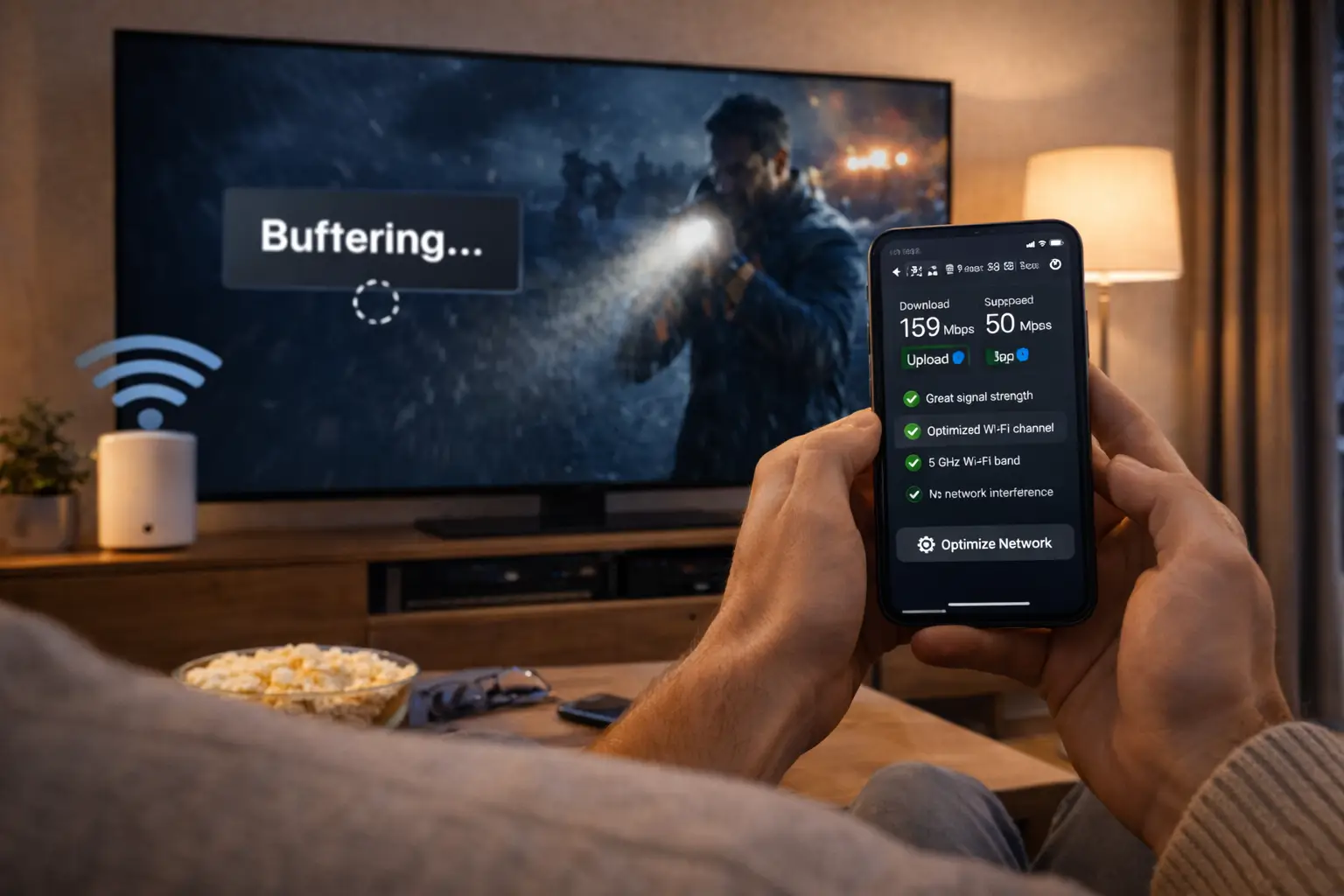
A monthly IPTV subscription is the shortest plan IPTV Canada offers and the easiest door into the service. You pick one of three packs, choose the 1-month duration, pay once and receive your access by e-mail within minutes. There is no contract to sign and nothing to cancel later, because nothing renews on its own. For current prices, see the plan cards on the IPTV subscription plans page; this page deliberately quotes no amounts, so you always compare live figures.
What follows is a practical handbook for that first month. It explains what the plan includes, who it suits, how it sits next to the 3, 6 and 12-month durations, how to prepare your home before ordering, and how to turn four weeks of viewing into a clear decision. Think of it as a structured test drive on your own equipment: your living room TV, your router, your household’s habits. That is where you learn whether a service fits, far more reliably than on any comparison chart.
What a monthly IPTV subscription includes
A 1-month plan is not a cut-down version of the service. You receive exactly the same pack content as someone who orders a full year. The only things that change with duration are the length of access and the cost per month. Whichever pack you choose, the catalogue, the picture quality options, the delivery method and the support are identical to the longer plans.
VIP Premium Pack
- 27,000+ channels
- 61,000+ series
- 155,000+ movies
- HD, Full HD and 4K
Ultimate 4K Pack
- 57,000+ 4K channels
- 47,000+ series
- 179,000+ movies
- 20 servers in Europe
On top of the catalogue, every monthly plan comes with the same service rules as the rest of our range:
- Access sent by e-mail within minutes, as Xtream Codes details (server URL, username and password) or as an M3U link.
- 1 simultaneous connection: you can install the same credentials on several devices in your home and use them one at a time.
- Payment once, in Canadian dollars, by card or PayPal, with no contract and no automatic renewal.
- Support 7 days a week by e-mail and WhatsApp, in English and French, for the whole month.
Because the content is the same, the month you spend on a short plan is a faithful preview of what a longer plan would feel like. If the picture, the TV guide and the libraries suit you after four weeks, they will suit you after twelve months too, provided your home setup stays the same.
Who a monthly IPTV subscription suits best
The 1-month format is for people who put flexibility ahead of the lowest monthly cost. In Canadian homes, that usually means one of a handful of situations. Find yours below; each card ends with the step that makes the most sense next.
One month gives you time to install a player, learn the TV guide and see how the picture behaves on weekday evenings, without paying for a long period up front.
Then: read the setup hub before orderingStudents between terms, people on a work posting in another city or families spending a few weeks at the cottage need TV for a limited stretch. One month covers it and leaves nothing running.
Then: check the speed where you are stayingA month is a sensible way to see how a new 4K set or streaming box handles a full evening of live TV and movies before you settle on a pack.
Then: test 4K at the busiest hourOrder one pack for a month, note what you actually watch, then try the other the next month if the first felt too small or too big.
Then: compare the product pages side by sideA monthly plan is less suited to households that already know the service works well at home and simply want to keep watching. For them, reordering every four weeks adds admin and costs more per month than a longer duration. If that sounds like you, our page on the 12-month IPTV subscription explains when a full year pays off.
There is also a middle path. Some people start with one month, confirm everything, then step up to 3 or 6 months before going to a full year. That gradual approach suits cautious buyers and households whose plans may change, such as a move planned for the spring or a new internet provider arriving soon.
The 1-month format next to 3, 6 and 12 months
Every pack is sold in four durations. The table below compares them on the points that matter when you are deciding, without amounts. To see the current figures for your pack, open the plans page and divide each price by its number of months.
| Point of comparison | 1 month | 3 months | 6 months | 12 months |
|---|---|---|---|---|
| Single payment size | Smallest | Small | Medium | Largest |
| Cost per month | Highest | Lower | Lower again | Lowest |
| Same pack content | Yes | Yes | Yes | Yes |
| Automatic renewal | No | No | No | No |
| Contract | No | No | No | No |
| Reorders needed over a year | Twelve | Four | Two | One |
| Best moment to choose it | First test, short stay | A season of viewing | A settled household | You are sure and want value |
The row that people often overlook is the number of reorders. Twelve checkouts a year is not a hardship, but each one is a chance to forget and lose an evening of viewing. That is the hidden cost of the monthly format, alongside the higher cost per month.
The row that people often over-weight is the single payment size. A small payment feels safer, and for a first month it genuinely is the right choice. After that, the comparison should be made on cost per month and on how sure you are about the next few months, not on the size of one charge. Our page on the IPTV Canada price walks through that comparison step by step.
Before you order: a home readiness check
A month passes quickly. If you spend the first week fighting with weak Wi-Fi or an outdated box, you lose a quarter of your test before it starts. Ten minutes of checks before ordering make the whole month more useful. Start with the speed at the screen you will actually watch on, not at the router.
Recommended speed per screen, measured on the viewing device
These figures are per screen. If someone else in the house streams, games or joins a video call at the same time, that traffic shares the same line. Run your speed test in the evening, when the household and the neighbourhood are online, because a midday result flatters most connections. If the TV sits far from the router, try the 5 GHz band close by or a network cable; the 2.4 GHz band reaches further through walls but carries less.
- Your TV, box, stick, phone or computer is on our list of supported devices.
- A compatible player is available in your device’s official app store.
- You have checked, on the app’s official website, whether the player asks for a publisher licence.
- The evening speed test at the TV reaches the figure for the quality you want.
- You can open the e-mail address you will use for the order on your phone.
- You know who in the house will watch, and when, given the 1 simultaneous connection.
If one of these boxes stays empty, fix it before ordering rather than during your month. Our IPTV devices hub compares the options for every screen, and the IPTV apps hub describes the supported players. We are independent from app publishers; we do not sell or activate player licences, but our support team helps you configure the apps.
Choosing the right pack for your first month
The pack you test should be the pack you expect to keep. Testing the biggest catalogue “just to see” can be misleading if your TV or connection will not make use of it, and testing the smallest can leave you unsure whether a larger library would have suited the household better. Start from your screen and your habits.
| Your household | Pack to test first | Why | What to watch for during the month |
|---|---|---|---|
| Live TV most evenings, a movie at the weekend | Premium Pack | Broad line-up and a deep movie library in HD, Full HD and 4K | Whether the series library felt big enough |
| Someone always has a show on the go | VIP Premium Pack | The largest series library of the three, 61,000+ | How often you opened series versus live TV |
| A 4K TV, a 4K device, a strong connection | Ultimate 4K Pack | 57,000+ 4K channels and 179,000+ movies | Whether 25 Mbps holds at the TV every evening |
| Unsure, mostly Full HD | Premium Pack | A sensible base you can move up from | Gaps you noticed in the catalogue |
A good habit is to write down, at the end of each week, which section of the player you opened most: live channels, series or movies. After four weeks, the pattern usually points to the right pack without any guesswork. If you lived in the series library, the VIP Premium Pack deserves a look. If you barely left live TV and never watched in 4K, the Premium Pack is likely all you need.
Tip: only test the Ultimate 4K Pack if all three links of the chain are ready: a 4K television, a 4K-capable device and at least 25 Mbps measured at that TV in the evening. If one link is missing, a month on Premium or VIP Premium tells you more about your real use.
Bilingual and Québec homes have one more thing to check during the month: how comfortably the household finds its way around the catalogue in both languages. Spend an evening browsing with the person who watches most in French and another with the person who prefers English. Their notes are often more useful than any feature list, because they reflect how the TV is really used at home.
Finally, keep the decision about the pack separate from the decision about the duration. The pack is about what you watch; the duration is about how sure you are. A month is long enough to settle the first question and to gather the facts for the second, which is exactly why it makes a good starting point.
Ordering a monthly plan, from cart to first channel
Ordering a 1-month plan takes a few minutes, and you can be watching the same evening. The sequence below shows what happens at each stage, so nothing surprises you. The full checkout is described on our page about paying for your IPTV subscription in Canada.
- Step 1
Pick the pack
Open the product page of the pack you chose and read what it includes, so you know exactly what you are testing.
- Step 2
Select 1 month
Choose the 1-month duration and check the pack, the duration and the total in Canadian dollars in your cart.
- Step 3
Pay once
Pay by card or PayPal. You are charged a single time, with no automatic renewal attached.
- Within minutes
Read the e-mail
Your access arrives as Xtream Codes details or an M3U link. Check spam and promotions folders if it is not in the inbox.
- Same evening
Log in and watch
Enter the details in your player, let the channel list and TV guide load, then start your test.
Keep the access e-mail somewhere you can find it easily. You will need it if you add the login to a second device later in the month, and its date tells you when your month ends. A simple trick is to star or pin it in your mailbox and add a calendar note on your phone a few days before the end date.
If the e-mail has not arrived after you have checked every folder, do not place a second order. Write to support by e-mail or WhatsApp with your order number and the address you used; the team will check the order and resend your details.
Day one: setting up your main screen
Your first evening sets the tone for the month. Install the player on the screen you watch most, enter your details carefully and give the channel list and guide time to load fully before judging anything. A rushed first impression is often an impression of a half-loaded app.

A calm first-evening routine
- Install the player from your device’s official app store.
- Copy the details from your e-mail exactly, without extra spaces.
- Give the profile a clear name, such as “Living room”.
- Let the channels, series, movies and guide load completely.
- Set the guide’s time offset if programme times look shifted.
With Xtream Codes details, most players ask for a server URL, a username and a password in one screen. The mock-up below shows the kind of form you will see. Values are never typed from this page: copy each one from your own access e-mail.
A typical login form for Xtream Codes details. Field names vary slightly from one player to another.
If your player prefers a playlist link, paste the M3U link from the e-mail instead. Our setup pages for Xtream Codes and the M3U playlist show each format screen by screen. Once the main TV works, you can add the same login to a phone or a bedroom box, remembering that only one of them can play at a time.
A four-week test plan for your monthly IPTV subscription
Most people use their first month casually and end it with a vague feeling. A simple plan turns the same four weeks into a clear answer. Each week focuses on one question, so by the end you know whether to keep the pack, change it or stop.
| Week | Main question | What to do | What to note |
|---|---|---|---|
| Week 1 | Does it work on the main TV? | Watch live TV every evening, switch channels often, open the TV guide | Stability at peak hours, speed of channel changes |
| Week 2 | Does the catalogue fit? | Browse series and movies, start a show, finish a film | Which section you opened most, gaps you noticed |
| Week 3 | Does it fit the household? | Add a second device, let others use it, test the one-screen rule | Moments when two people wanted to watch at once |
| Week 4 | Is the service behind it reliable? | Ask support one real question, check your end date | Clarity and speed of the answer, your verdict |
Week three deserves special attention. The 1 simultaneous connection rule is easy to accept in theory and easy to forget in practice. If your household regularly wants two screens playing at the same time, you will discover it that week. That is valuable information: you can then ask support, through the contact page, about the conditions and price of extra simultaneous screens before you commit to a longer period.
Week four is about the people behind the service. Send a genuine question, perhaps about the TV guide offset or about adding a device, and judge the reply on clarity rather than speed alone. You will rely on that team for as long as you subscribe, so it is worth knowing how they explain things.
Ready to start your first month
Three packs, the same rules, one payment in Canadian dollars. Current prices are on the plans page.
Pros and limits of a monthly IPTV subscription
No duration is right for everyone. The monthly format does some things better than any other and costs you more on others. Here is a balanced view, so you can decide whether those trade-offs suit your situation.
Where it shines
- The smallest single payment of all four durations
- A real test on your own TV, Wi-Fi and schedule
- Full pack content, identical to the longer plans
- No contract and no automatic renewal
- Easy to change pack from one month to the next
- Ideal for short stays and temporary homes
Where it costs you
- The highest cost per month of all durations
- A new checkout every month to keep watching
- A forgotten reorder means an evening without TV
- Over a full year, it adds up to more than a 12-month plan
- More dates to track if several people rely on it
The pros are strongest at the start of your relationship with a service, when you have the most questions and the least information. The limits grow over time, as the higher cost per month and the repeated checkouts add up. That is why we see the monthly format as an entry point and a tool for unusual situations rather than a permanent arrangement for most homes.
There are exceptions. A household that only watches during a few months of the year, such as a seasonal cottage or a winter-only routine, may prefer monthly plans when it needs them over a longer plan that sits unused. Do the arithmetic on your own pattern of use, not on an average.
Living with one connection during your test month
Each pack, monthly plans included, comes with 1 simultaneous connection. You can install the same credentials on as many devices in your home as you like, but only one can play at any given moment. If a second screen starts while the first is still streaming, the player shows a connection message and one of them stops.
Most households adapt within a few days. The main TV gets priority in the evening, a phone or tablet takes over when the TV is off, and everyone learns to stop playback when they leave a room instead of letting a stream run on an empty screen. Our page on IPTV on multiple screens explains the rule in more depth and gives practical habits for families.
Watch out: a monthly plan does not relax the connection rule. If your household needs several screens playing at once, ask support for the conditions and price before ordering. Never share your access with another household, even for a short month: credentials are for one home only.
Common first-month mistakes to avoid
Most disappointing first months come from a handful of avoidable errors rather than from the service itself. Each tile below names one, with the simple fix.
Testing on weak Wi-Fi
Judging the service through a router two floors away. Move closer, use 5 GHz or a cable, then judge.
Testing only at noon
Daytime networks are quiet. Watch on weekday evenings, when your home and street are busiest.
Forcing 4K too early
Picking 4K without 25 Mbps at the TV. Start in Full HD and move up once the speed is confirmed.
Two screens at once
Forgetting the 1 connection rule. Stop playback on one device before starting another.
Losing the end date
Not noting when the access e-mail arrived. Add a phone reminder a few days before the end.
Staying silent
Struggling alone with a setting. Support answers 7 days a week in English and French.
One more mistake is easy to miss: judging the service by the first few minutes in a new player. Channel lists, guide data and library posters can take a moment to load on the first launch, especially on older smart TVs. Give the app time, restart it once, and only then decide whether something is wrong. If the picture still stalls or stops, our guides on IPTV buffering and IPTV freezing walk you through the usual causes, most of which sit in the home network.
Using support well during a short plan
On a long plan, a question can wait until the weekend. On a monthly plan, every day you spend stuck is a day of your test lost. That is why we suggest treating support as part of the month rather than a last resort. Our team answers 7 days a week by e-mail and WhatsApp, in English and French, and the same help is available whether you ordered one month or twelve.
A good message saves a round of back-and-forth. Say which device and which player you use, describe what you see on screen in a sentence, mention whether the problem happens on every channel or only some, and add a speed test taken on the device itself. If an error message appears, copy its wording or send a photo of the screen. Never post your password in a public place, and never send card details by message: our team will never ask for them.
Deep dive: questions worth asking in your first week
Ask how to set the TV guide offset in your player if programme times look shifted. Ask which format, Xtream Codes or M3U link, works best with the player you chose. Ask what the conditions and price would be for an extra simultaneous screen if your household might need one. Ask how to move to a longer duration when your month ends. Each answer is useful in itself, and together they show you how clearly the team explains things, which is exactly what you want to know before a longer commitment.
Bilingual households often find it handy that the team switches between English and French without fuss. Write in whichever language the person at the TV is most comfortable with; there is no need to translate the error message on screen, a photo is enough.
Reading your results: keep, change pack or stop
At the end of week four, look back at your notes. The answer is usually clearer than people expect. The scenarios below cover the most common verdicts and the sensible next step for each.
Your setup is proven. Keep the same pack and choose a longer duration to bring the cost per month down.
Then: compare 3, 6 and 12 monthsThe service suits you; the pack does not. Move up to VIP Premium for more series, or down to Premium if you barely left live TV.
Then: reorder one month on the new packLook at the home network before blaming the service. Test with a cable, change the Wi-Fi band, lower the quality to Full HD.
Then: read the buffering guide and retestOne connection is not enough for your routine. Ask support about extra simultaneous screens before reordering.
Then: write to support with your needsIf the honest answer is that IPTV does not fit your household, you have lost very little. The plan simply ends, nothing renews and there is nothing to cancel. That is the point of a short format: a low-stakes way to find out, with a clear exit built in.
If the answer is positive but you are still not ready for a full year, a 3-month or 6-month plan is a comfortable middle step. You keep some flexibility, reduce the number of checkouts and already pay less per month than on the monthly format.
Working out the real cost of a monthly IPTV subscription
Because we do not print amounts on this page, here is a method you can apply to the current prices in under a minute. It uses letters instead of figures, so it stays valid whatever the price list says on the day you read it.
The letter method
On the plans page, pick one pack. Call its 1-month price M, its 3-month price T, its 6-month price S and its 12-month price Y. Your cost per month is M for the monthly plan, T divided by 3, S divided by 6 and Y divided by 12. To see what a year of monthly plans costs, multiply M by 12 and set it next to Y. The gap between the two is the price of flexibility.
Two rules keep the comparison honest. First, compare durations on the same pack; mixing a monthly Premium price with a yearly VIP Premium price tells you nothing. Second, compare like with like when you look at other providers: a price for one connection is not comparable with a price that claims several screens, and a monthly price that renews by itself is not comparable with a one-time payment.
Your card or PayPal provider may apply its own rules, such as foreign transaction fees on some cards. Those are set by your provider, not by us. All our prices are shown and charged in Canadian dollars.
What happens on the last day of the month
Your monthly plan ends on its own. We do not charge your card again and we do not draw anything from your PayPal account. When the period is over, the channels, series and movies stop loading in your player, and the guide goes quiet. If you want to keep watching, you place a new order, which takes a few minutes.

Planning the switch without a gap
- Find your start date. Look at the date your access e-mail arrived.
- Set a reminder. Add a phone note a few days before the end of the month.
- Decide in advance. Use your four-week notes to pick the pack and duration.
- Reorder early. Place the new order a day or two before the end date.
- Keep your player. Enter new details only if support sends them.
This design protects you from the most familiar frustration of traditional TV billing: paying for months you forgot to cancel. It also means you stay in control of your budget at every step. The trade-off is that you are responsible for reordering in time; the reminder habit above takes care of that.
If you want to change pack or duration before your month ends, write to support and the team will explain your options. Otherwise, the simplest path is to let the month finish and order the new combination when you are ready.
Back-to-back monthly plans: when they still make sense
Some households keep ordering one month at a time long after their first test. Usually that is a habit rather than a choice, and a longer duration would serve them better. But there are a few situations where repeated monthly plans are a reasonable decision.
Choose the duration for the months you are sure about, not for the months you hope for.
- Your viewing is seasonal, with long stretches when nobody at home watches.
- A move, a new internet line or a change of TV is coming and you want to retest afterwards.
- You are alternating between two packs to see which fits the household better.
- Your budget works better with a small payment each month than with a single larger one.
If none of these applies, the monthly format is probably costing you more than it needs to. Once the first month has proven your setup, a longer duration keeps exactly the same content and rules, lowers the cost per month and removes most of the reorders. Read the 12-month IPTV subscription page to see whether a full year fits, or step up to 3 or 6 months if you prefer to keep some room.
A word on legality, since you are trying a new service: the technology is legal; whether a service is legal depends on the broadcasting rights it holds, so check before subscribing. Our guide Is IPTV legal in Canada? explains the questions worth asking any provider, us included.
First-month glossary
A few terms come up again and again during a first month. Here they are in plain language, so the access e-mail and the player menus feel familiar from day one.
- Xtream Codes
- A login format with three parts: a server URL, a username and a password, entered in a compatible player.
- M3U link
- A single playlist address that some players accept instead of the three Xtream Codes fields.
- EPG
- The electronic programme guide: the TV guide grid showing what is on now and next.
- Simultaneous connection
- A stream playing at a given moment. Each pack includes 1, whatever the number of devices installed.
- Cost per month
- The price of a plan divided by its number of months; the fair way to compare durations.
- Automatic renewal
- A charge repeated without your action. Our plans have none: access simply ends.
If a term in your player is not listed here, the IPTV EPG setup page and the wider setup hub cover most menu names. Support can also explain any setting in English or French.
Related pages for your first month
These pages answer the questions that usually come up during or just after a first month. Each one goes deeper on a single topic.
A question before your first month
Our team answers 7 days a week by e-mail and WhatsApp, in English and French.
FAQ
Is a monthly plan different from a longer one?
No, the content is the same. A 1-month plan gives you the full catalogue of the pack you choose. Only the length of access and the cost per month change.
Does the 1-month plan renew automatically?
No. You pay once for one month. When it ends, your access stops unless you place a new order. There is nothing to cancel.
Is the 1-month plan the cheapest option?
It has the smallest single payment but the highest cost per month. Over a full year, a 12-month plan costs less. See current prices on the plans page to compare.
Which pack should I try for one month?
The Premium Pack suits most households. Try VIP Premium if you watch a lot of series, or Ultimate 4K if you have a 4K TV, a 4K device and at least 25 Mbps per screen.
How fast do I get access after paying?
Your access details arrive by e-mail within minutes of payment. If you cannot find the e-mail, check your spam and promotions folders, then contact support by e-mail or WhatsApp.
Can I use a monthly plan on several devices?
Yes, you can install the same credentials on several devices in your home and use them one at a time. Each pack includes 1 simultaneous connection.
Can I move to a 12-month plan after my first month?
Yes. When your month ends, order the 12-month duration on the pack you want. Contact support if you want to change before the end of your month.
Can I change pack from one month to the next?
Yes. Each order is independent, so you can choose a different pack when you reorder. Check the catalogue figures on the product pages first.
Do I need to reinstall the player when I reorder?
Usually not. Keep the player you set up and enter new details only if support sends them with your new order.
What should I test during the first month?
Test the picture on weekday evenings, the TV guide, channel switching, the series and movie libraries, a second device and one real question to support.