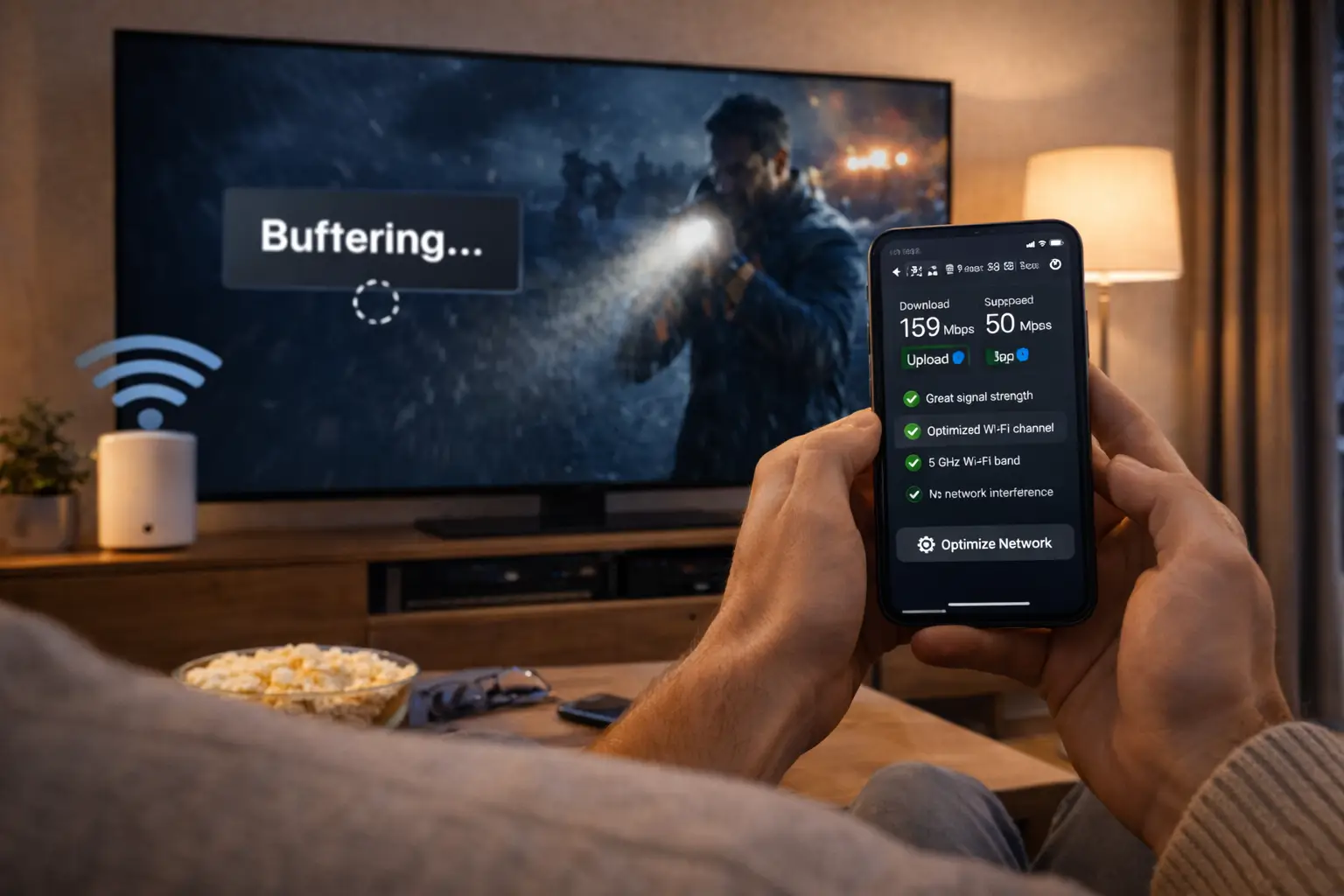
Making an IPTV payment should feel as ordinary and safe as any other purchase online. With IPTV Canada, you pay once, by card or PayPal, in Canadian dollars, and your access lands in your inbox within minutes. This page covers the two payment methods, how to choose between them, every step of the checkout, the habits that protect you as a buyer, the scams to recognise in the IPTV market and exactly what to do if your access e-mail is late. For current prices, see the plan cards on the IPTV subscription plans page.
Whether you live in a Toronto condo, a Montréal duplex, a Calgary bungalow or a farmhouse on the Prairies, the process is identical. There is no phone call to make, no technician to book, no contract to sign and no stored card that gets charged again later. You decide what to buy, you pay for it once, and the next step is always yours.
IPTV payment at a glance
Before going into detail, here is the whole journey in one line. Each node below is a stage you will pass through, usually within the same few minutes.
Three rules apply to every order, whatever the pack or the duration. You are charged once, in Canadian dollars. Nothing renews by itself: when your period ends, access stops until you place a new order. And each pack includes 1 simultaneous connection, which you can install on several devices in your home and use one at a time.
Those rules make the payment step simpler than with most TV services. There is no introductory rate that changes after a few months, no bundle to untangle and no cancellation to remember. What you see in your cart is what you pay, for the duration you selected.
IPTV payment methods we accept
We keep payment to the two methods most Canadian households already use and trust. Both are processed at a secure checkout, and both give the same price for the same pack and duration.
| Point | Credit or debit card | PayPal |
|---|---|---|
| How it works | Enter your card details on the secure checkout page | Log in to your PayPal account and approve the payment |
| Charged in Canadian dollars | Yes | Yes |
| Same price for the same plan | Yes | Yes |
| One charge per order | Yes | Yes |
| Automatic renewal | No | No |
| Card details typed on our checkout | Yes | No, they stay with PayPal |
The choice is purely about comfort. Some people prefer PayPal because they would rather not type card numbers on a site they are using for the first time. Others prefer a card because it is quicker when the details are already saved in the browser. Either way, the payment is a single charge for the full duration you chose, and the access that follows is identical.
We do not accept gift cards, e-transfers to a private person, or any method you cannot trace back to a standard checkout. That is a deliberate choice: card and PayPal payments come with their provider’s own buyer protection rules, and they leave a clear record of what you bought and when. If anyone claiming to represent us asks you to pay another way, do not pay, and contact support through the contact page.
Card or PayPal: choosing what suits you
There is no better or worse method, only the one that fits your habits. The scenarios below help if you are hesitating.
Choose PayPal. You approve the payment in your PayPal account and your card details stay there.
Then: use the e-mail address you check most oftenPay by card. It is usually the quickest route, and the charge appears once on your statement.
Then: check the total in your cart before confirmingEither method works. Your bank or PayPal converts from Canadian dollars under its own terms and fees.
Then: check your provider’s conversion rulesDo not retry many times in a row. Check the details, the card limits and any security message from your bank.
Then: try PayPal or contact your bankWhichever you choose, use a payment method you control yourself. Paying with someone else’s card or account on behalf of another home creates confusion later, when the access e-mail goes to the wrong inbox or the person who will watch cannot find the order details. The person whose household will use the access should place the order.
If your card was issued abroad, your bank handles the conversion. Any foreign transaction fee is set by your card provider, not by us. The same applies to PayPal’s own conversion when your account balance is in another currency. Our page on the IPTV Canada price explains what is and is not included in the price you see.
Before you pay: what to have ready
A smooth order starts before the checkout page. Two minutes of preparation means you can pay, receive your access and start watching without stopping halfway to look for something.
- You know which pack you want: Premium, VIP Premium or Ultimate 4K.
- You know which duration you want: 1, 3, 6 or 12 months.
- You have an e-mail address you can open right now, ideally on your phone.
- Your card is at hand, or you know your PayPal login.
- A compatible player is installed, or you know which one you will install from your device’s official app store.
- You have checked, on the app’s official website, whether that player asks for a publisher licence.
- You have read the connection rule: 1 simultaneous connection per pack.
The e-mail address is the item people most often get wrong. Your access is sent there, so a typo means the details go nowhere. Use an address you check daily, and if possible one that is set up on the phone you will hold while sitting in front of the TV. You can then copy the details straight from the e-mail into the player without going back and forth to a computer.
If you are not yet sure which pack or duration to choose, settle that first. The monthly IPTV subscription page explains how to use a short plan as a test, and the 12-month IPTV subscription page shows when a full year gives the best value. Coming back to pay once you have decided is quicker than changing your mind in the middle of the checkout.
Choosing the duration you pay for
The duration you select at checkout sets two things at once: the size of your single payment and the cost per month. The longer the period, the larger the one payment and the lower the cost per month. Choosing well is less about the size of the charge today and more about how sure you are about the months ahead.
Recommended speed per screen, to check before paying for a pack
If this is your first IPTV payment in this home, a short duration is the prudent choice: you pay the smallest single amount and test the service on your own TV and Wi-Fi. If you have already confirmed that everything works, a 6 or 12-month duration brings the cost per month down and spares you several checkouts. A 3-month plan sits between the two, covering a season of viewing with a moderate payment.
Deep dive: comparing durations without amounts on this page
Open the plans page and stay on one pack. Divide each price by its number of months: the 3-month price by 3, the 6-month price by 6, the 12-month price by 12. The lowest result is the cheapest per month, which on every pack is the yearly plan. Then set twelve monthly payments against the single yearly payment to see the full gap over a year. Our price page explains the method in more detail.
Whatever you choose, nothing renews by itself. If you later want a different duration, you simply pick it at your next order.
How to order, step by step
The full order takes a few minutes. Here is exactly what happens, in the order you will see it.
- Open the product page. Go to the pack you chose, such as the Premium Pack, and read what it includes.
- Select the duration. Pick 1, 3, 6 or 12 months. See current prices on the plans page if you want to compare the cost per month first.
- Review the cart. Check the pack, the duration and the total in Canadian dollars. Remove anything you did not intend to buy.
- Enter your details. Fill in your name and an e-mail address you can open right away. Read the address twice.
- Choose card or PayPal. Complete the payment. You are charged once, with no automatic renewal.
- Read the confirmation. An order confirmation appears on screen. Note or screenshot the order number.
- Open your e-mail. Your access details follow within minutes, as Xtream Codes or an M3U link.
Tip: keep the confirmation screen open until the access e-mail arrives. If anything goes wrong, the order number on that screen is the first thing support will ask for, and it lets the team find your order in seconds.
If you are ordering a 4K pack, check one last thing before paying: the speed at the TV you will use. We recommend 25 Mbps per screen for 4K, 15 Mbps for Full HD and 10 Mbps for HD. Our guide to 4K IPTV explains the whole chain, from the TV’s input to the device and the connection.
Ordering from a phone or from a computer
You can complete the whole order on either device. Each has small advantages, and knowing them helps you avoid the few mistakes that happen on small screens or in a hurry.
On a phone
- The access e-mail arrives on the device you will hold in front of the TV
- Copying the details into a TV player is quicker from the phone
- PayPal approval often happens in an app you already use
- You can order from the sofa, next to the screen you will set up
Watch out on a phone
- Autocorrect can change letters in your e-mail address
- A tap outside the form can close the checkout before confirmation
- Small text makes it easier to miss the selected duration
- Switching apps mid-payment can interrupt the PayPal step
On a computer, the larger screen makes it easier to read the cart and spot a wrong duration. The trade-off is that the access e-mail may then arrive on a device far from the TV, and you will copy long details by hand. If you order on a computer, open the access e-mail on your phone as well, so you have the details where you need them.
Whichever device you use, finish the payment in one go. Wait for the confirmation screen, keep it open and only then switch to your mailbox. If the page closes before you see a confirmation, check your inbox and your card or PayPal activity before trying again.
The checkout page, field by field
Checkout pages can feel rushed, especially on a phone. Knowing what each field is for helps you fill it in calmly and spot mistakes before you pay. The mock-up below shows the main elements; layouts vary slightly between desktop and mobile.
What to check on the checkout page before you confirm. No amounts are shown here; prices live on the plans page.
Three fields deserve a second look. The duration, because choosing 1 month when you meant 12 changes both the total and the end date. The e-mail address, because your access is sent there and nowhere else. And the total, which should match the price you saw on the plans page for that pack and duration, in Canadian dollars.
If you pay by card, type the details directly into the checkout fields and nowhere else. If you choose PayPal, you are taken to PayPal to approve the payment, then brought back to the confirmation screen. In both cases, wait for the confirmation to appear before closing the page or pressing back, so the order is recorded properly.
Buyer safety: protecting your IPTV payment
Paying online for a digital service is safe when you follow a few habits. These apply to us and to any provider you might compare us with, and they are the same habits that protect you in any online shop.
- Pay only by card or PayPal, which come with their provider’s own buyer protection rules.
- Check that the pack, the duration and the total in your cart are the ones you chose.
- Make sure the price is shown in Canadian dollars before you confirm.
- Read whether the plan renews automatically; ours never does.
- Type your e-mail address carefully, since your access is sent there.
- Keep the order confirmation until your access is working.
- Never send card details or a PayPal password by e-mail, chat or WhatsApp.
Be careful: never pay an IPTV seller through an untraceable method such as gift cards or a transfer to a private person you met in a comment section. Never send card numbers by message, to us or to anyone else. Our team will never ask for your card number or your PayPal password in an e-mail or a chat.
Buyer safety also means knowing what you are buying. Each pack includes 1 simultaneous connection. You can install the same credentials on several devices in your home and use them one at a time. If you need more screens playing at once, ask through the contact page before you pay; support will give you the conditions and the price. Paying first and asking afterwards is the most common source of disappointment.
And on legality, our view stays neutral: the technology is legal; whether a service is legal depends on the broadcasting rights it holds, so check before subscribing. Our guide Is IPTV legal in Canada? lists the questions worth asking any seller before you hand over payment details.
IPTV payment scams to recognise
The IPTV market attracts its share of sellers who are more interested in your money than in your viewing. Most of their tricks show up at the payment stage. Recognising them protects you, whoever you end up buying from.
Gift card payment
A seller asks you to buy gift cards and send the codes. There is no record and no recourse. Walk away.
Private transfers
Payment to an individual’s account after a chat in a comment thread. Nothing ties the money to a product.
Card details by chat
Someone asks you to type your card number in a message. No legitimate checkout works that way.
Pressure to pay now
A countdown or a message that the price disappears in minutes. Pressure is there to stop you checking.
Lifetime access
One payment for access forever. No service can promise that honestly; treat it as a red flag.
Unlimited screens
Any number of screens for one low payment, with no stated rule. Expect problems once you have paid.
A further warning sign is a seller who cannot be reached before you pay. A real support team answers a question about connections or durations before the sale, not only after. Send one question first and judge the reply. If nobody answers, or the answer dodges the question, you have learned what you needed to know without spending anything.
Finally, be wary of anyone who contacts you first, through social media or a message, claiming to offer a better price on our plans. Our prices are shown on the plans page and the product pages, and orders go through the checkout on our site. We do not sell through private messages. Our page on IPTV Canada reviews covers the wider question of judging a provider.
Pay once, watch tonight
Card or PayPal, in Canadian dollars, with access by e-mail within minutes. Current prices are on the plans page.
What arrives after your IPTV payment
Within minutes of a confirmed payment, you receive an e-mail with your access details. Depending on your order and your player, they come in one of two formats. Both open the same catalogue; the difference is only in how the player reads them.
Xtream Codes details
This is the most common format. You receive a server URL, a username and a password. You enter them in a compatible player such as IPTV Smarters Pro, TiviMate, IBO Player or XCIPTV, and the player loads live channels, series, movies and the TV guide automatically.
M3U link
Some players, such as Smart IPTV or GSE Smart IPTV, work well with an M3U link: a single address containing your channel list. You paste it into the player and the list loads.
In both cases, install your player from your device’s official app store. Some players charge for a publisher licence; check the current price on the app’s official website. We are independent from app publishers, so that licence is a separate purchase made with the publisher, not part of your payment to us.
Your access works on Samsung and LG smart TVs, Android TV and Google TV boxes, Fire TV Stick, Apple TV, iPhone and iPad, Android phones and tablets, and PC. Our setup pages for Xtream Codes and the M3U playlist walk you through each format screen by screen.
Not sure which format your player prefers? Most players accept Xtream Codes details, and they also bring in the TV guide and the libraries in one step, so start there. If your player only offers a playlist field, use the M3U link. Support can tell you which format suits the app you installed, in English or French, before or after you pay.
From the access e-mail to your first channel
The access e-mail is the bridge between your payment and your TV. Handle it with a little care and the rest of the setup takes minutes.
- Minute 1
Open the e-mail
Find the message with your access details. Mark it as “not spam” if it landed in a filtered folder.
- Minute 2
Open the player
Launch the app you installed from the official store and choose to add a new profile or playlist.
- Minute 3
Copy the details
Enter the server URL, username and password, or paste the M3U link, exactly as written, with no extra spaces.
- A few minutes
Let it load
Give the channel list, libraries and TV guide time to load fully before judging anything.
- Same evening
Save the date
Note the date of the e-mail: your period runs from there, and a reminder helps you reorder in time.
Store the e-mail somewhere safe and private. You will need it each time you add a device, replace a TV or reinstall a player. Never post it publicly, never forward it to another household and never paste the details into a comment or a forum when asking for help; write to support instead.
If the player refuses the details, the cause is almost always a small typing error: a missing character, an extra space at the end, or a capital letter where there should be none. Copy and paste rather than retyping when you can. If the problem continues, our guide on an IPTV app that can’t connect lists the usual causes in order.
If the access e-mail does not arrive
Most access e-mails arrive within minutes. If yours has not shown up, do not order again: a second payment does not speed anything up and only creates two orders to sort out. Work through the situations below first.
Look in spam, junk and promotions folders, and every tab your webmail uses to sort messages.
Then: search the mailbox for “IPTV” or your order numberCheck the e-mail address on your order confirmation. A single typo sends the details elsewhere.
Then: write to support with the correct addressCheck the inbox linked to your PayPal account too, in case it differs from the address you typed.
Then: look in both mailboxesOccasionally a card issuer or PayPal takes a few extra minutes to confirm a payment.
Then: wait a little before contacting supportStill nothing after these checks? Contact support by e-mail or WhatsApp, in English or French, 7 days a week. Give your order number, the name used at checkout and the e-mail address you entered. The team will check your order and resend your details. Do not include your card number or any password in that message; none of it is needed.
When you find the e-mail, mark it as “not spam” or move it to your main inbox. That teaches your mail service to let future messages through, such as replies from support or updated details, so you do not have to hunt for them next time.
When a payment is declined
A declined payment is frustrating, but it rarely means anything serious. Most declines come from the card or account side, and a calm check usually solves them. Avoid retrying many times in a row: repeated attempts can make a bank more cautious, not less.
| What you see | Likely cause | What to do |
|---|---|---|
| Card refused straight away | A typing error in the number, date or security code | Re-enter the details slowly, then try once more |
| Bank security message | Your bank checks an online purchase it has not seen before | Approve it in your banking app or call the number on the card |
| Refused after several tries | The bank paused online payments after repeated attempts | Wait, contact your bank, or switch to PayPal |
| PayPal does not complete | An issue with the linked card or account | Check your PayPal account, then try again or pay by card |
| Unsure whether it went through | The page closed before the confirmation appeared | Check your e-mail and statement before paying again |
The last row matters most. If you are not sure whether a payment went through, do not pay a second time on impulse. Check your inbox for an order confirmation or an access e-mail, and look at your card or PayPal activity. If you still cannot tell, write to support with the name and e-mail address you used; the team can see whether an order exists.
We cannot see or change your bank’s decisions. If your card keeps being refused, your bank is the right place to ask why. PayPal is often a convenient alternative while you sort it out.
Some banks also limit online purchases on new cards, prepaid cards or cards that have not been used for a while. If that applies to you, a quick message in your banking app to allow the purchase is usually all it takes. Once the payment goes through, the rest of the order continues normally, and your access e-mail follows within minutes of the confirmation.
Currency, bank fees and your statement
All our prices are shown and charged in Canadian dollars. You do not need to guess an exchange rate or wonder whether the amount on your statement will match the one in your cart, as long as your card or PayPal balance is in Canadian dollars too.
Cards and accounts in another currency
If your card was issued in another currency, or your PayPal balance is held in one, your provider converts the Canadian dollar amount under its own terms. Any foreign transaction fee or conversion margin is set by your card provider or by PayPal, not by us. If you want to know the exact amount in advance, check your provider’s conversion rules before paying.
Keep your order confirmation with your records. It shows the pack, the duration and the total, so you can match it to the line on your statement at the end of the month. If you share a card with a partner or a parent, a quick note about the purchase saves a puzzled question later.
There are no extra charges on our side after checkout: no setup fee, no equipment rental and no activation charge. The only costs outside your payment to us are your own internet connection and, for some players, a publisher licence bought directly from the app’s publisher.
Keeping records of your order
A few pieces of information are worth keeping from the moment you pay until the end of your period. Together they let you or support resolve almost any question in minutes.
- Order number
- Shown on the confirmation screen and in the confirmation e-mail. The first thing support asks for.
- Order e-mail address
- The inbox where your access details were sent. Keep it the same for future orders.
- Access e-mail
- The message with your Xtream Codes details or M3U link. Store it privately.
- Activation date
- The date your access arrived. Your 1, 3, 6 or 12 months run from there.
- Payment method
- Card or PayPal. Useful when matching the order to your statement.
A simple folder in your mailbox, named after the service, holds all of this in one place. When you reorder later, the new confirmation and access e-mail go in the same folder, and the history of your plans is there whenever you need it.
For households where one person pays and another sets up the TV, agree on who keeps these records. The person who placed the order should be the one who contacts support about it, since the team will match the request to the name and e-mail address on the order. That keeps things quick and protects your access from anyone outside the home asking about it.
Paying again later: no automatic renewal
Because there is no automatic renewal, your IPTV payment is never repeated without your action. When your plan ends, access simply stops. To keep watching, you place a new order the same way: choose a pack, choose a duration and pay once.

Reordering without a gap
- Note the date your access e-mail arrived.
- Set a phone reminder a few days before the end.
- Decide whether the pack and duration still fit.
- Order again with the same e-mail address.
- Keep your player; enter new details only if sent.
Reordering is also the moment to adjust your plan to how your household really watches. If you rarely opened the series library, the Premium Pack may be enough. If someone at home watched shows every night, the VIP Premium Pack could fit better. If you have since bought a 4K TV and your connection holds 25 Mbps per screen, the Ultimate 4K Pack becomes worth a look.
If you started with a short duration and you are happy with the service, this is also a good time to choose a longer one and lower your cost per month. Whatever you choose, the payment works exactly the same way: one charge, in Canadian dollars, by card or PayPal.
Privacy and what we never ask for
A safe IPTV payment is also about what happens around it. Knowing what a legitimate provider will and will not ask for makes it easy to spot a message that is not from us.
If a message asks for your card number, your PayPal password or a gift card, it is not from our team.
We ask for the information an order needs: your name, an e-mail address and a payment made at the checkout. When you contact support, we may ask for your order number, the e-mail address used and a description of the problem. We never ask you to send card numbers, security codes or passwords by e-mail, WhatsApp or any other message, and we never ask you to install anything other than a player from your device’s official app store.
Your access details are personal to your household. Do not post them in public groups, do not forward them to friends and do not share them with another home, even for a short time. If you think someone else has your details, write to support and the team will explain what to do. You can learn more about how we work on our about page.
Related pages about plans and IPTV payment
These pages cover the questions that usually come before or after a payment. Each one focuses on a single topic.
A question about your order
Send your order number and the e-mail you used. We answer 7 days a week, in English and French.
FAQ
Which payment methods can I use?
You can pay by credit or debit card, or with PayPal. Both are charged once, in Canadian dollars, for the full duration you choose.
Will I be charged again automatically?
No. There is no automatic renewal and no contract. You are only charged again if you place a new order yourself.
How long does it take to receive my access?
Your access details are sent by e-mail within minutes of a confirmed payment, as Xtream Codes details or an M3U link.
What if my access e-mail is not in my inbox?
Check your spam, junk and promotions folders, then search your mailbox. If you still cannot find it, contact support by e-mail or WhatsApp with your order number.
Is it safe to pay with a card?
Yes, when you pay on the secure checkout page. Never send card details by e-mail or chat. If you prefer not to enter card details, choose PayPal.
Do you accept gift cards or e-transfers?
No. We accept card and PayPal only, at our checkout. If anyone asks you to pay us by gift card or private transfer, do not pay and contact support.
Is the price the same with PayPal and with a card?
Yes. Both methods give the same price for the same pack and duration, in Canadian dollars. Your own provider may apply its own conversion or foreign transaction fees.
My payment was declined. What should I do?
Check the card details, approve any security message from your bank, and avoid retrying many times. If it keeps failing, contact your bank or pay with PayPal instead.
Can I pay for someone else in another home?
Each plan is for one household, with 1 simultaneous connection. Credentials must not be shared between households, so the person who will use the access should place their own order.
Can I change the e-mail address after paying?
Write to support with your order number, the name used at checkout and the address you entered. The team will check the order and explain how your details can reach the right inbox.
Does my payment include the player app?
No. Players come from your device’s official app store. Some charge for a publisher licence; check the current price on the app’s official website. We are independent from app publishers.