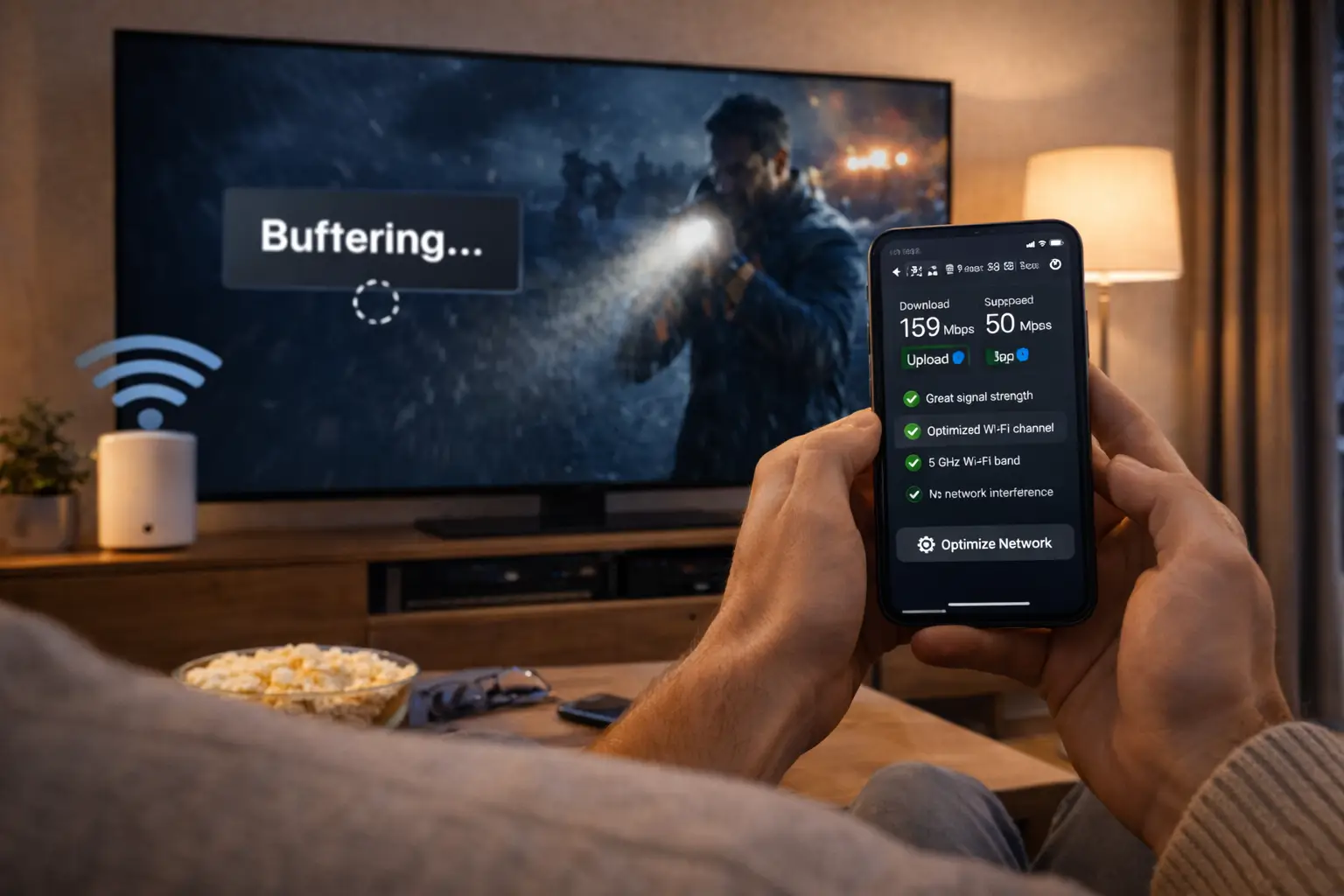
Searching for IPTV Canada reviews often leads to the same frustration: glowing comments of a few words, angry posts with no context and comparison pages that seem to recommend whoever pays them. This page takes a different approach. Instead of showing you praise about ourselves, it gives you a method to judge any IPTV provider, explains how to read reviews with a critical eye, shows how to separate home setup problems from service problems and sets out the commitments we make, so you can hold us to them. When you are ready to compare plans, current prices are on the IPTV subscription plans page.
We deliberately publish no customer quotes, no scores and no counts on this page. A provider quoting its own happy customers proves very little; anyone can choose flattering lines. Facts you can check for yourself, on our pages and during a short first order, prove a great deal more. Everything below is built around that idea.
Why IPTV Canada reviews need a critical eye
Online reviews of IPTV services are harder to trust than reviews of a restaurant or a hotel. A restaurant controls the whole meal. An IPTV provider controls only part of the chain that brings a picture to your screen. The rest sits in the reviewer’s home: the speed of the internet line, the reach of the Wi-Fi, the age of the TV or box, the player installed and how it was set up.
A comment saying the picture freezes all the time may describe a slow home network rather than a weak service. A comment calling everything perfect may come from someone who watched for two days, in the middle of the afternoon, on a quiet line. Neither tells you how the service will behave in your living room on a weekday evening.
On top of that, some reviews are simply not genuine. Sellers sometimes post praise for themselves or criticism of competitors. Comparison pages may rank providers by commission rather than quality. None of this makes reviews useless. It means you should read them as clues, not verdicts, and give more weight to what you can verify than to what you are told.
Tip: a review becomes useful when it tells you the device, the type of connection, how long the person used the service and what exactly went right or wrong. Without those details, treat it as an opinion, not evidence.
Where reviews come from, and how much each source tells you
Not all review sources are equal. Each has its own strengths and its own blind spots. Knowing them helps you decide how much weight to give a comment before you even read it.
| Source | What it can tell you | What to watch out for |
|---|---|---|
| Discussion forums | Detailed threads about setups, players and recurring problems | Old threads describing a service as it once was |
| Comment threads under videos or posts | Quick impressions from many people | Very short comments, sellers promoting themselves in replies |
| Comparison and ranking pages | A list of providers to look into | Rankings shaped by commissions, with no stated method |
| Social media posts | Recent experiences, sometimes with photos of the screen | Posts that are really advertising, accounts created for one post |
| Friends and family | A trusted account from someone you can question | Their home setup may be very different from yours |
| The provider’s own site | Published rules, figures and commitments | Hand-picked praise, which proves little |
The most useful sources share one quality: you can ask a follow-up question. A forum thread where you can ask which router someone uses, or a friend you can call, gives you far more than a polished page of compliments. The least useful sources are those where nobody can be questioned, and where the author has something to gain from your purchase.
Whatever the source, apply the same filter. Look for detail, check the date, compare the reviewer’s situation with yours, and ask whether the author benefits from the conclusion. A comment that survives that filter is worth reading closely. One that does not is just noise, however confident it sounds.
Objective criteria to judge an IPTV provider
Before reading anyone’s opinion, check the facts a provider publishes about itself. These criteria apply to every service, including ours. They do not depend on anyone’s home setup, so they give you a solid base before reviews add colour.
| Criterion | What to look for | Why it matters |
|---|---|---|
| Pricing | Prices shown in Canadian dollars, with the duration clearly stated | You know exactly what you pay and for how long |
| Renewal | A clear statement on automatic renewal | Avoids charges you did not expect |
| Connections | The number of simultaneous connections stated plainly | Prevents disappointment when two people watch at once |
| Catalogue | Published figures for channels, series and movies | Lets you compare packs on facts, not adjectives |
| Delivery | How and when access details are sent | Shows the process is organised |
| Support | Channels, days and languages of support | You will need help at some point |
| Payment | Card or PayPal, rather than untraceable methods | Protects you as a buyer |
| Players | Players from official app stores, no files sent by the seller | Keeps your devices safe |
| Legality | A neutral, honest stance rather than bold promises | Signals a responsible provider |
A provider that is vague on several of these points deserves caution, however positive its reviews look. A provider that answers all of them clearly, in writing, has already passed the most important test before you read a single comment. Our pages on the IPTV Canada price and on IPTV payment show how we answer each criterion.
Write your answers down for each provider on your shortlist. A simple table on paper, with one column per provider, turns a confusing comparison into an obvious one. Gaps in the table are as informative as the answers themselves.
Only once that table is complete is it worth turning to opinions. At that point, reviews stop being the foundation of your decision and become what they should be: extra detail about how a provider behaves in daily life, read against facts you have already checked.
How to read IPTV Canada reviews critically
When you do read reviews, a few habits help you separate signal from noise. Use this checklist on any review site, forum or comment thread, and apply it to positive and negative comments alike.
- Look for detail: device, player, connection type and how long the person has used the service.
- Check the date: an old review may not reflect the service as it is today.
- Compare patterns, not single comments: one complaint is an anecdote, the same complaint repeated is a signal.
- Be wary of very short, very similar positive comments posted close together.
- Check whether the reviewer understood the connection rules before complaining about screens.
- Notice how the provider responds to problems, when responses are visible.
- Ignore comments that promote another seller in the same breath.
- Give more weight to reviewers who describe what they tried before giving up.
Also remember context. A household with a slow connection trying to watch 4K will have a poor experience with any provider. We recommend 10 Mbps per screen for HD, 15 Mbps for Full HD and 25 Mbps for 4K, measured on the device. A review that ignores those basics tells you more about the reviewer’s setup than about the service.
Finally, read the most negative and the most positive comments last. Start with the detailed, moderate ones in the middle. They are usually written by people who took time to describe their situation, and they give you a realistic picture before the extremes pull your impression one way or the other.
Keep a short note as you go: one line per useful review, with the setup it describes and the point it makes. After a dozen lines, the recurring points stand out on their own, and the comments that seemed so convincing at first often turn out to be isolated.
Anatomy of a useful review
A useful review answers the same questions you would ask a friend who tried the service. The mock-up below shows the information to look for. If most of these fields are missing from a comment, its conclusion is hard to trust, whatever it says.
Use these fields as a filter: the more a review fills them, the more weight it deserves.
The field people most often leave out is the connection. Yet it explains a large share of complaints about stuttering pictures or channels that take long to start. A reviewer who says they watched 4K over Wi-Fi from two floors away has told you something important, even if they did not realise it.
The second most revealing field is support. A review that says something went wrong, help was asked for and the problem was solved tells you more about a provider than ten comments saying all went well. Problems happen with every service; how they are handled is what separates providers.
Setup problems versus service problems
Many negative reviews describe real frustration with a cause that sits in the home. Learning to tell setup problems from service problems helps you read reviews fairly, and it helps you diagnose your own experience later. The scenarios below show common complaints and where they usually come from.
Evening slowdowns often point to a busy home network or Wi-Fi far from the TV, especially in 4K.
Then: ask whether they tested with a cableA login typed with an extra space or a wrong character is a frequent cause, as is an expired period.
Then: check whether they contacted supportPlans with 1 simultaneous connection stop a stream when another starts. That is the rule, not a fault.
Then: check what the provider states about screensMany people with different setups describing the same thing at the same time points to the service side.
Then: look at how the provider communicatedThis is not about dismissing complaints. A provider can have real problems, and a pattern of reports from people with good setups deserves attention. The point is to weigh each comment by how much it tells you about the service itself, rather than about one particular living room.
Our troubleshooting hub covers the home-side causes in detail. If you want to understand what a reviewer may have run into, the guides on IPTV buffering and an IPTV app that can’t connect explain the usual culprits and how to rule them out.
Reading reviews from a Canadian household’s point of view
Most IPTV reviews online are written by people whose homes look nothing like yours. Before you let a comment shape your decision, ask how close the reviewer’s situation is to your own. A few Canadian specifics are worth keeping in mind.
Context that changes how a review reads
A rural line and a downtown fibre connection give very different evenings, so a complaint from a home with a slow line may not apply to yours, and praise from a fast line may not either. Condo towers with many Wi-Fi networks crowding the 2.4 GHz band produce problems that a detached house rarely sees. Long winter evenings put more people online at once than a summer afternoon. And a bilingual or Québec household may care about support in French far more than a reviewer who never needed it.
The practical step is simple: for every review that seems important, write one line about how its context compares with yours. Same type of connection or not? Same device family? Same season, same number of people watching? Same language needs? A review that matches your context on most points deserves weight. One that matches on none is about someone else’s home.
Also look for reviews in both official languages if your household uses both. French-language and English-language discussions sometimes focus on different things, such as the clarity of support in each language or how easy it is to browse the catalogue. Reading both gives you a fuller picture than either alone.
Patterns versus one-off comments
A single review, however detailed, is one household’s experience. What you are looking for is a pattern: the same observation made independently by several people with different setups. Patterns are much harder to fake and much more likely to reflect the service itself.

How to spot a real pattern
- The same point appears in several sources, not just one site.
- The reviewers describe different devices and connections.
- The comments are spread over time, not posted in a burst.
- The wording differs from one comment to the next.
- Specific details recur, such as the same menu or the same step.
The opposite is also worth recognising. A burst of very similar positive comments, posted within a short time, using the same phrases, from accounts with no other activity, is a classic sign of manufactured praise. A burst of identical negative comments about a competitor, ending with a recommendation for another seller, is its mirror image.
When you find a genuine pattern, ask what it is about. A pattern of complaints about a confusing setup tells you to prepare carefully. A pattern of complaints about support going silent after payment tells you to look elsewhere. Not every pattern is a deal-breaker; it depends on what matters to your household.
Comparison pages and rankings: what to check
Comparison and ranking pages can be a useful starting point, as long as you know how they work. Many earn money when readers buy from the providers they list, which can shape the order of the list. That does not make them worthless, but it means their ranking is a suggestion, not a test result.
Signs of a careful comparison
- The method is explained: what was checked and how
- Each provider is described on the same criteria
- Weaknesses are listed, not only strengths
- Connection rules and renewal terms are compared
- The page says how it earns money
Signs of a sales page in disguise
- No method, just a ranking and buttons
- Every provider is described as excellent
- Prices compared without durations or screen counts
- Bold claims about legality or picture quality
- Pressure to buy now through a special link
A good way to use a comparison page is to take its list of names, then run your own checks on each provider using the criteria table above. If a provider at the top of the ranking cannot answer basic questions about connections or renewal, the ranking has told you nothing useful about it.
Our own guide to the best IPTV in Canada takes that approach: rather than ranking providers, it gives you a step-by-step method to compare any of them, including us, on criteria you can check yourself.
Check our facts, not our praise
Prices, durations and the connection rule are published on the plans page. Compare them with anyone else’s.
Red flags in reviews and offers
Some warning signs appear again and again in the IPTV market. Spotting them early saves you money and frustration, whatever the reviews around them say.
Unlimited screens
Any number of screens for one low payment, with no written rule. Expect trouble after paying.
Lifetime access
One payment forever. No honest provider can promise that; treat it as a warning.
Odd payment methods
Gift cards or transfers to a private person leave you with no record and no recourse.
Shared accounts
Offers to split one account between several homes. Credentials belong to one household.
Bold legal claims
Certainty either way about legality. A responsible provider stays neutral and factual.
Silence before sale
No answer to a simple question before payment. Help will not improve after it.
Be careful with: reviews that praise “unlimited screens” or “lifetime access”, sellers who ask for payment by gift card or private transfer, offers with no stated number of connections, providers that make sweeping legal promises, and anyone who sends you an app file instead of pointing to an official app store. These are signs of a provider cutting corners, whatever the reviews say.
On legality specifically, be suspicious of any provider that claims certainty either way. The honest position is ours: the technology is legal; whether a service is legal depends on the broadcasting rights it holds, so check before subscribing. Our guide Is IPTV legal in Canada? explains the questions worth asking.
Questions to ask any provider before paying
The best way to test a provider is to ask it questions before you pay. The answers, and the way they are given, tell you more than most reviews. Send the same short list to every provider on your shortlist and compare the replies side by side.
- Ask about screens. How many streams can play at the same time, and what happens if a second one starts?
- Ask about renewal. Does the plan renew by itself, and how do I stop it if it does?
- Ask about payment. Which methods do you accept, and in which currency is the price charged?
- Ask about delivery. How and when are the access details sent after payment?
- Ask about players. Which apps do you recommend, and where should I install them from?
- Ask about support. On which days, through which channels and in which languages do you answer?
Judge the replies on three things. Speed is the least important, though a reply within a reasonable time is a good sign. Clarity matters more: does the answer address your question directly, in plain words? Consistency matters most: does the answer match what the provider’s website says? A provider whose messages contradict its own pages is one to avoid.
You can apply this exact list to us. Write to support through the contact page, by e-mail or WhatsApp, in English or French, 7 days a week, and compare our answers with the facts on this page.
Our commitments, in plain terms
Rather than asking you to trust comments about us, here is what we commit to. Every point is something you can check on our site or during your first order.

What we commit to
- Clear prices in Canadian dollars for every pack and duration.
- One payment, no renewal, by card or PayPal, with no contract.
- Honest connection rules: 1 simultaneous connection per pack, more on request.
- Published catalogue figures on every product page.
- Fast delivery of access by e-mail within minutes.
- Bilingual support 7 days a week, in English and French.
- Independence from app publishers, with players from official app stores.
Take the connection rule as an example. Each pack includes 1 simultaneous connection. The same credentials can be installed on several devices in your home and used one at a time. More simultaneous screens are available only on request, with conditions and price given by support. We state this on the plans page, the product pages and here, because a clear rule stated up front prevents the most common source of disappointment in IPTV.
Or take the catalogue. The VIP Premium Pack lists 27,000+ channels, 61,000+ series and 155,000+ movies in HD, Full HD and 4K. Those figures are on the product page, so you can compare them with any other provider’s published numbers. You can learn more about who we are and how we work on our about page.
How to check our commitments yourself
A commitment is only worth something if you can verify it. The table below shows where to check each one, and what to look for. None of it requires taking our word for anything.
| Commitment | Where to check | What you should see |
|---|---|---|
| Clear prices | Plans page and product pages | A price in Canadian dollars for each pack and duration |
| No automatic renewal | Checkout, then the end of your period | One charge; access ends without a new payment |
| 1 simultaneous connection | Plans page, product pages, your player | The rule stated plainly; a second stream stops the first |
| Catalogue figures | Each product page | Published figures for channels, series and movies |
| Delivery within minutes | Your inbox after payment | Xtream Codes details or an M3U link |
| Support 7 days a week | A question sent by e-mail or WhatsApp | A clear answer, in English or French |
| Official app stores | Our setup and app pages | No files sent; players from your device’s store |
If anything you see differs from what this table describes, tell us. Write to support with the details, and the team will look into it. Holding a provider to its own published words is the most effective form of review there is.
You can apply the same table to any provider. Replace our commitments with theirs, look for where each one can be checked, and see how many can actually be verified. A provider whose promises cannot be checked anywhere has given you nothing to rely on.
Test the service yourself
The most reliable review is the one you write for yourself after trying a service in your own home, with your own TV, Wi-Fi and evenings. A short plan is the cleanest way to do it.
- Before ordering
Check your setup
Run a speed test on the device you will use, at the time you usually watch, and install a player from the official app store.
- Order
Choose a short plan
The 1-month plan lets you test with the smallest single payment, on the pack you expect to keep.
- Week 1
Test at peak hours
Watch live TV, a series and a movie on weekday evenings, when home networks are busiest.
- Week 2
Contact support once
Ask a real question by e-mail or WhatsApp and judge the clarity of the answer.
- End of month
Decide calmly
If everything worked, move to a longer duration for a lower cost per month. If not, nothing renews.
Our page on the monthly IPTV subscription turns this into a full four-week test plan, with a question for each week. Write down what you notice as you go: stability in the evening, the TV guide, the libraries, the one-screen rule in daily life and the support reply. By the end of the month, your notes are a better review than anything you could find online, because they describe your home.
If the result is positive, the 12-month IPTV subscription gives the lowest cost per month on every pack. If it is not, the plan ends on its own, with nothing to cancel.
Reviews, expectations and the one-screen rule
A surprising number of negative IPTV reviews come down to a mismatch between what the buyer expected and what the plan included. The most common example is screens. Someone buys a plan with one connection, expects the whole family to watch on different TVs at once, and writes an angry comment when the second stream stops the first.
A rule stated clearly before you pay is worth more than any amount of praise after.
That is why we put the connection rule everywhere: each pack includes 1 simultaneous connection, the login can be installed on several devices and used one at a time, and more simultaneous screens are only available on request through support. If your household needs several streams at once, ask before ordering. Our page on IPTV on multiple screens explains the rule and the routines that make it easy to live with.
When you read reviews of any provider, check whether the complaint is about something the provider stated clearly. If it is, the review tells you about the reviewer’s expectations rather than the service. If the provider never stated its rules, the complaint is fair, and the missing information is itself a warning sign.
How to leave a useful review
If you decide to share your experience, with us or with any other provider, a few details make your review genuinely helpful to the next reader. Think of the person in your situation a month ago, searching for honest information before paying.

What to include
- The device and the player you used.
- Your type of connection, cable or Wi-Fi, and the speed at the screen.
- The pack and how long you have used it.
- What worked and what did not, with specifics.
- Whether you contacted support and how it went.
Describe events rather than feelings. Explaining that the picture stopped several times on weekday evenings over Wi-Fi in the basement, and stayed steady once a cable was connected, helps a reader far more than a general verdict. It lets them compare your setup with theirs and draw their own conclusion.
Protect yourself while you do it. Keep your access details out of any public post: no usernames, no passwords, no server addresses, no screenshots that show them. Never offer to share your access with another household, even as a favour to a reader. And if you had a problem that was never solved, say so plainly, along with what you tried; that information is valuable to everyone.
If you have a concern about us
Reviews are not the only way to raise a problem. If something about our service does not match what we publish, the quickest path to a solution is to tell us directly, with the details that let the team act. A public comment may help other readers, but it rarely contains enough information for anyone to fix your issue.
Write to support by e-mail or WhatsApp, in English or French, 7 days a week. Describe the device and player, what you see on screen, when it happens and what you already tried, and add a speed test taken on the device. If your concern is about the order rather than the picture, include your order number and the e-mail address you used. Never send passwords or card details in any message.
Deep dive: what makes a concern easy to resolve
The concerns that get resolved fastest share three traits. They are specific: one problem, described with what you see and when. They include context: device, player, connection and whether other devices behave the same way. And they are open to a quick test: trying a cable instead of Wi-Fi, restarting the router or re-entering the login when the team suggests it. With those three, most issues can be traced to their real cause within a short exchange, whether it sits at home or on our side.
If, after that exchange, you still want to share your experience publicly, the section above on leaving a useful review explains how to make it helpful to others. An honest account of a problem, of what was done about it and of the result is exactly the kind of review we suggest readers look for.
A short glossary for reading IPTV Canada reviews
Reviews often use technical words loosely. Knowing what they really mean helps you understand what a reviewer experienced, and whether it is likely to affect you.
- Buffering
- The player pauses to load more of the stream. Often linked to speed or Wi-Fi at the screen.
- Freezing
- The picture stops while sound may continue. Can come from the network, the device or the player.
- EPG
- The electronic programme guide. An empty guide is usually a player setting, not a missing channel.
- Simultaneous connection
- A stream playing at one moment. Plans with one connection stop a stream when another starts.
- Xtream Codes
- A login with a server URL, username and password. A single wrong character prevents connection.
- M3U link
- A playlist address some players accept instead of Xtream Codes details.
When a review mentions one of these terms, you can often tell where the problem came from. A reviewer whose guide was empty but whose channels played had a setting to adjust. A reviewer who could not log in at all may have mistyped one character. Our IPTV troubleshooting hub explains each situation in more detail.
Related pages for judging a provider
These pages help you go from reading reviews to making a decision based on facts.
Ask us anything before you decide
Put our commitments to the test: our team answers 7 days a week by e-mail and WhatsApp, in English and French.
FAQ
Why are there no customer quotes on this page?
Quotes chosen by a provider prove very little. We prefer to publish commitments you can verify yourself, such as clear prices, one connection per pack and no automatic renewal.
How can I tell if an IPTV review is genuine?
Look for specific details: device, player, connection type, length of use and a clear description of what happened. Short, vague and very similar comments posted together are less reliable.
What is the best way to judge an IPTV provider?
Check objective criteria first: pricing in Canadian dollars, renewal rules, number of connections, support languages and payment methods. Then test the service on your own devices with a short plan.
Can a bad review be caused by the reviewer’s own setup?
Yes. A slow connection, weak Wi-Fi or an outdated device can cause buffering with any provider. We recommend 10 Mbps per screen for HD, 15 Mbps for Full HD and 25 Mbps for 4K.
Should I trust comparison and ranking pages?
Use them as a list of names to check, not as a verdict. Many earn money from sales, so verify each provider on the same objective criteria yourself.
What are the biggest red flags in an IPTV offer?
Unlimited screens, lifetime access, payment by gift card or private transfer, shared accounts between homes, sweeping legal promises and no answer before you pay.
Is IPTV legal in Canada?
The technology is legal; whether a service is legal depends on the broadcasting rights it holds, so check before subscribing.
How can I check your commitments?
Compare the plans and product pages with your checkout, your access e-mail and a question sent to support. Everything we commit to can be verified during a first order.
What should I include if I write a review?
Your device, player, connection, pack, length of use, what worked and what did not, and how support handled any question. Never post your access details.
Why do reviews of the same provider disagree so much?
Because reviewers have different homes. Connection speed, Wi-Fi reach, device age and player settings all shape the experience, so compare each reviewer’s setup with yours before drawing a conclusion.
Is a short test better than reading reviews?
It is more reliable for your home, because it uses your TV, Wi-Fi and evenings. Reviews help you build a shortlist; a 1-month plan on the pack you expect to keep gives you the answer.
How do I contact you before ordering?
Our support team answers 7 days a week by e-mail and WhatsApp, in English and French. You can ask any question before choosing a plan.