Toronto living often means a unit on the 23rd floor, a basement apartment in a semi off the Danforth or a stacked townhouse in Scarborough, with dozens of neighbours’ routers on every side. That shapes how streaming behaves far more than which neighbourhood you live in. This guide to IPTV Toronto is about making the service run smoothly in tight, busy buildings, about the international content that multicultural households look for, and about the screen rules that matter when several people share a small space.
For the national picture, including the rules that never change, start with our overview of IPTV across Canada. For province-wide advice beyond the city, such as cottages and the time zone corner in the northwest, see IPTV Ontario. Live just west of the city? The IPTV Brampton page covers large households in Peel Region.
IPTV Toronto in four numbers
Before the details, here are the figures that frame everything else on this page. They are the same in every Toronto building, from a lakeshore tower to a North York bungalow.
Everything else is about how your home gets those numbers to the screen. A typical complaint from a Toronto condo goes like this: the speed test on the phone looks fast, yet the TV pauses every few minutes around 9 p.m. The internet line is rarely the cause. In a tower, your router competes with every other router within range, and at peak hours the airwaves get jammed. The good news is that the fixes are simple. You do not need a new internet plan or a new TV in most cases. You need the right band, a better spot for the router and, ideally, one short cable.
Why Wi-Fi struggles in towers, and how the bands compare
Home routers broadcast on two main bands. The older 2.4 GHz band travels through walls well, but it has few channels, so in a high-rise it fills up quickly with your neighbours’ traffic. The 5 GHz band has much more room and handles video better, though its signal fades faster through concrete. A wired Ethernet connection skips the airwaves altogether and is immune to whatever the unit next door is doing.
| Connection | Range in a unit | Congestion in a tower | Best use |
|---|---|---|---|
| 2.4 GHz Wi-Fi | Long, passes through walls | High, shared with many neighbours | Phones, smart speakers, laptops for e-mail |
| 5 GHz Wi-Fi | Shorter, weaker through concrete | Lower, many more channels | TVs and boxes in the router’s room or the next one |
| Ethernet cable | Wherever the cable reaches | None | 4K TVs and any screen that keeps buffering |
| Mesh access point | Extends 5 GHz to a far room | Low when placed in sight of the router | Two-storey units and long layouts |
Some routers also let you pick the Wi-Fi channel manually or switch on automatic channel selection. In a tower, leaving the automatic choice on and restarting the router once in a while helps it move away from the busiest channels. If your router is several generations old and only broadcasts on 2.4 GHz, replacing it is often the most useful single upgrade for streaming in a condo, more useful than a faster internet plan.
Signs your router is the weak link
A router is due for attention when only one network name appears and the settings offer no 5 GHz option, when the TV drops the connection every evening while phones stay online, or when the device runs hot and needs a restart several times a week. In a rented condo, the router may belong to your internet provider; ask them whether a newer model is available before buying your own. Either way, place the replacement in the open and give the main TV the 5 GHz band or a cable.
Toronto homes and their streaming quirks
Toronto’s housing is more varied than the skyline suggests. Towers get the attention, but a large share of the city lives in semis, row houses, basement suites, walk-up apartments and stacked townhouses. Each comes with its own Wi-Fi pattern. Find yours in the table, then go to the matching fix.
| Home type | What usually goes wrong | First fix |
|---|---|---|
| High-rise condo | Router in a utility closet, crowded 2.4 GHz band | Router into the open, TV on 5 GHz |
| Corner or two-storey condo | Far bedroom or upper floor out of reach | Mesh point within sight of the router |
| Basement apartment | Low ceilings, ductwork, line arriving from upstairs | Router in the suite itself, cable to the TV |
| Older semi or row house | Three floors and thick plaster walls | Router on the middle floor, mesh on the top floor |
| Stacked townhouse | Living room and bedrooms on different levels | Router near the stairs, cable to the main TV |
| Walk-up apartment | Several neighbours’ routers through thin floors | 5 GHz band and automatic channel selection |
Basement apartments deserve a special mention because they are so common in the city. If you rent a basement suite, you are a separate household from the people upstairs. You need your own subscription, whatever arrangement you have with the landlord for internet access. Sharing the upstairs Wi-Fi password is a private matter between you and your landlord; sharing a streaming login between the two units is not allowed and can get the access suspended.
Fixing the signal in your unit
Work through these steps in order. Most condo owners never need to go past the third one, and none of them requires calling anyone.
- Find out where the router is. In many condos it sits inside a utility closet or a media panel near the entrance. That metal or concrete enclosure weakens the signal before it even reaches the living room.
- Move it into the open. If the cable allows, place the router on a shelf in a central spot, away from the microwave, the fridge and mirrored closet doors. A longer network cable from the panel to the shelf is a cheap way to do this.
- Connect the TV to 5 GHz. If your router shows two network names, choose the 5 GHz one on the TV or streaming box. If it shows only one name, the router may be switching bands on its own; place the TV within sight of it.
- Run a cable for the main screen. A flat Ethernet cable along the baseboard is the most reliable fix for a 4K TV. Many condo units have a network wall plate in the living room that is connected to the media panel; check before buying anything.
- Add a mesh point if needed. In a two-storey unit or a long layout, a second mesh point covers the far bedroom. Place it halfway, not in the dead zone itself.
Tip: streaming sticks are small and convenient, but many have no network port. For a 4K TV in a busy tower, a box with an Ethernet port, or a stick with a network adapter, is often the better buy.
Once the signal is sorted, test it properly. Play a live channel on the TV for a full evening rather than a few minutes, at the hour the building is busiest. If it holds in Full HD from dinner to bedtime, you can try 4K with confidence. If it wavers, stay in Full HD for now and revisit the placement of the router or the mesh point. A stable lower resolution is always more pleasant to watch than a sharp picture that keeps pausing.
The utility closet problem

Why the panel by the door hurts the TV
Condo developers put the communications panel near the entrance because that is where the building’s wiring arrives. The installer then puts your router inside it, closes the door and leaves. The result is a router surrounded by metal and concrete, often a full unit away from the TV. Your phone, a few steps away, shows great speed. The TV, behind two walls, gets a fraction of it.
- Open the panel and see whether the router sits inside it
- Check for a network wall plate near the TV
- If there is one, connect the TV or box to it with a short cable
- If not, move the router out with a longer cable to a central shelf
If the panel must stay closed for building reasons, at least leave the door ajar during viewing or use a mesh point placed just outside it. Some owners also find that turning the router so its antennas point toward the living room helps a little. If the picture still stops after these changes, our guide to IPTV freezing covers the player-side settings worth checking, and the IPTV buffering guide walks through the network checks in order.
International content for multicultural households
Toronto homes speak many languages at the kitchen table, and many families want news, films and series from the countries they or their parents came from. The packs include a large share of international content alongside English and French-language programming, and you can browse it by category or country group in your player.
We keep expectations honest here. The catalogue evolves, and we never promise a particular channel. If content in one language is the main reason you are subscribing, ask our support team what is currently available before you buy. They answer 7 days a week by e-mail and WhatsApp, in English and French, and they will tell you plainly what is there today.
A favourites list per language
Group the content each person watches, so grandparents, parents and children each find theirs in seconds.
Audio and subtitles
Check the playback menu on films and series. Some titles offer more than one track.
Interface language
Set the player menus to the language most people at home are comfortable with.
Ask before ordering
Tell support which language matters most. You get a clear answer before you pay, not after.
A small practical point: in multilingual homes, the person who sets up the player is often not the person who watches most. Take a minute to show the main viewer where their favourites live and which button opens the TV guide. That one conversation saves a lot of calls across the city later.
Children in multilingual homes often switch languages faster than the adults. A separate favourites group for them, mixing cartoons and programmes in the languages spoken at home, keeps the main lists tidy for everyone else. If you want to keep some categories away from younger viewers, set a parental PIN in the player; most supported players offer one in their settings.
Four Toronto households, imagined
These are hypothetical households, not customers, used to show how the same rules apply to very different homes in the city.
One works late and watches series on a laptop while the other uses the TV earlier in the evening.
Then: one connection works, as long as their viewing hours do not overlapGrandparents want content in their first language; teenagers want English series in the basement.
Then: favourites per person, a cable to the basement, and a question to support about extra screensRouter upstairs, owned by the landlord, and a laptop as the only screen.
Then: their own connection and their own subscription, since the suite is a separate householdTV on the main floor, router on the top floor, constant buffering.
Then: router moved near the stairs, TV on 5 GHz, mesh point if neededThe pattern is always the same: work out who watches where and when, fix the room with the weakest signal first, and only then think about packs and extra screens.
Relatives visiting from abroad
In many Toronto families, a parent or grandparent comes to stay for a few weeks or a few months, often from far away and often with their own viewing habits. While they live with you, they are part of your household, and they can watch on your TV or a tablet like anyone else at home. The usual rule still applies: 1 simultaneous connection per pack, so the guest’s tablet and the living room TV take turns unless support has arranged extra screens.
A few preparations make a long stay more pleasant for everyone:
- Ask support in advance whether content in your visitor’s language is currently in the catalogue
- Create a favourites group with the channels and categories your visitor will want, in their language
- Set the tablet’s interface language to one your visitor reads comfortably
- Show them the two buttons that matter: favourites and the TV guide
- Agree on evening hours for the main TV if two people want different programmes
When the visit ends, the login stays with your household; it does not travel back with the visitor. If they want the service in their own home, they need their own subscription there. Our page on whether IPTV is legal in Canada is worth reading too: the technology is legal, and whether a service is legal depends on the broadcasting rights it holds, so check before subscribing anywhere.
Small spaces, several devices, one connection
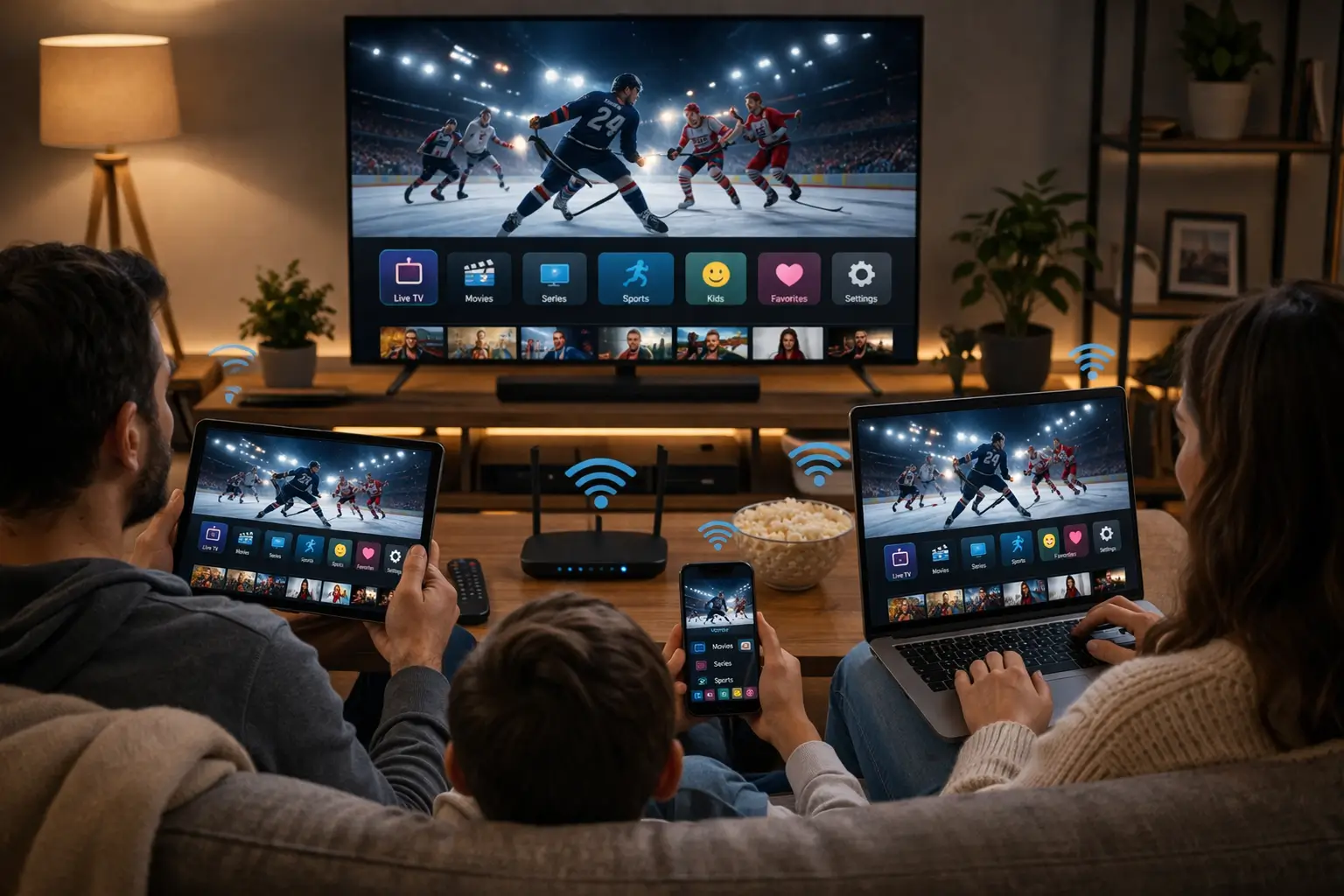
In a one-bedroom condo you might have a TV in the living room, a tablet in the bedroom and a laptop on the desk. You can install the same login details on all of them. With a standard pack, though, only one can play at a time, because each pack includes 1 simultaneous connection.
One connection fits when
- You live alone or watch together
- Housemates keep different schedules
- The tablet and laptop are backups for the main TV
- You close the player when you leave a room
Ask support about extra screens when
- Two people want different programmes at the same hour, most evenings
- A roommate streams in their room while the TV is in use
- Streams keep stopping because a second device starts
- Children watch in a separate room during family viewing
Couples and roommates who regularly watch different things at the same time can request additional simultaneous screens through our contact page. Support will explain the conditions and the price. Keep in mind that the bandwidth adds up too: two Full HD streams in the same unit need about 30 Mbps. Our page on IPTV on multiple screens explains how to organise devices once extra screens are in place.
Be careful: a friend down the hall, a tenant in the basement suite or a relative in another building are separate households. Sharing your credentials with them breaks the rules of the service and can get the access suspended for everyone.
A simple house rule avoids most clashes in a shared unit: whoever starts watching on a second device closes the player on the first. Families sometimes agree that the living room TV has priority after dinner and the tablet takes over later. It sounds basic, but it is the difference between a smooth evening and a stream that keeps stopping for reasons nobody can see.
Your condo is ready for IPTV
Three packs, four durations, one payment in Canadian dollars. No contract, nothing renews on its own.
How bandwidth adds up in a busy unit
The recommended speed applies per screen: 10 Mbps for HD, 15 Mbps for Full HD and 25 Mbps for 4K. In a Toronto condo, though, the TV is rarely the only thing using the line. Work calls, game updates, phones syncing photos and a smart doorbell camera all share the same connection, and in a tower the Wi-Fi capacity is also shared with the neighbours’ networks.
Recommended speed per screen
If support arranges extra simultaneous screens for your household, add the figures: a 4K TV in the living room and a Full HD tablet in the bedroom need about 40 Mbps between them, before anything else on the network. Measure on the TV at the hour you usually watch, not on a phone next to the router at noon. If the number at 9 p.m. is much lower than at noon, the bottleneck is the building’s airwaves, and the cable or the 5 GHz band is the answer.
A quick test for crowded Wi-Fi
Run one speed test on the TV over Wi-Fi and, if you can, one with a cable plugged in, at the same time of evening. If the cabled result is much better, your internet plan can carry the stream and the Wi-Fi is the problem. If both results are low, the line itself is busy and HD may be the better choice for evening viewing.
Working from home and the evening rush
When the home office meets the living room
Many Toronto condos double as offices. During the day the line carries calls and file transfers; in the evening it switches to streaming, and in between there is often an overlap, with one person finishing a call while another starts a film. Streaming needs a steady flow more than a huge one, so sudden bursts from uploads or updates are what disturb it.
- Plug the work laptop or the TV into a cable, whichever you use more in the evening
- Schedule system updates and cloud backups for overnight
- Keep the work laptop on 2.4 GHz if the TV needs the 5 GHz band
- Restart the router once a week if it runs non-stop
If you only have one cable and one network port, give it to the screen that matters most during the evening. For most households that is the TV. A laptop on a call can tolerate small variations; a 4K stream on a big screen shows them immediately.
Setting up IPTV Toronto on your first evening
Setup looks the same in a downtown tower and in a Leslieville row house. Most of the effort goes into typing the login carefully and putting the device in the right place. Here is a typical first evening, from order to the first channel, written for a compact home where the router and the TV may be in different rooms.
- Before ordering
Check the room
Run a speed test on the TV, in the evening, and note the result. Decide whether the TV will use a cable, 5 GHz or a mesh point.
- Order
Pick a pack and duration
Compare the three packs on the plans page and pay once by card or PayPal, in Canadian dollars.
- Minutes later
Read the access e-mail
Your Xtream Codes details or M3U link arrive by e-mail. Check the spam folder if you do not see it.
- Install
Add a player from the official store
Search the store on the device itself, check the publisher name, install and open the player.
- First channel
Log in and tidy
Enter your details, wait for the lists to load, add favourites and confirm one TV guide listing.
The login screen looks much the same on every supported player. Usernames and passwords are case-sensitive.
Give each profile a room name such as “Living room TV” or “Bedroom tablet”. In a small unit where several devices carry the same login, that makes it obvious which one is still playing when another refuses to start. Our Xtream Codes setup guide shows the fields player by player if your screen looks different.
Choosing a device for a compact Toronto home
You probably own a compatible device already. The service runs on Samsung and LG smart TVs, Android TV and Google TV boxes, Fire TV Sticks, Apple TV, iPhones and iPads, Android phones and tablets, and PCs. In a small space, the question is less about features and more about where the device sits relative to the router.
A smart TV keeps a small living room tidy when the router is in the same room. A box with an Ethernet port is the safest choice for a 4K TV far from the router or in a crowded tower. A stick suits a bedroom TV where 5 GHz reaches comfortably. Phones and tablets cover the balcony and the kitchen. Our IPTV devices hub compares them in detail, and the Android box IPTV guide covers the wired option step by step.
Two small Toronto-specific habits help. In a condo where the TV is wall-mounted, use a short HDMI extension so a stick sits away from the metal back panel and the wall, which improves both its Wi-Fi reception and its temperature. And if your unit has a network wall plate behind the TV, a box with an Ethernet port turns that plate into the most reliable connection in the home.
Install players only from your device’s official app store. IPTV Smarters Pro, TiviMate, Smart IPTV, IBO Player, XCIPTV and GSE Smart IPTV are all supported, depending on the platform. We are independent from app publishers, so for any licence, check the current price on the app’s official website.
The IPTV Toronto TV guide on Eastern Time
Toronto runs on Eastern Time, which is what most players expect, so the TV guide often lines up right away. Still, check it once. A box bought second-hand, a tablet set up while travelling or a laptop that kept its clock from a trip may carry a different time zone, and every listing will then appear shifted by the same number of hours.
Deep dive: fixing a shifted guide in three moves
First, open the device’s system settings and confirm the time zone is Eastern and that automatic time is switched on. Second, open the player’s guide or EPG settings and set the time shift back to zero, then adjust it only if listings are still off. Third, refresh the guide data from the player and compare one listing with a programme you know. Repeat the check after the spring and fall clock changes, since a device with a manual clock will not follow them.
An empty guide is a different problem from a shifted one. If the grid shows no programmes at all, the player may need a refresh or, with an M3U link, a separate guide address. Our IPTV EPG guide explains both cases, and the M3U playlist guide covers the separate guide address some players need.
Moving units without losing your setup
Toronto renters and owners move often: a bigger condo when a child arrives, a basement suite while saving for a house, a unit closer to a new job. Your subscription is not tied to an address. It belongs to your household, so it moves with you as long as your new home has an internet connection.
The same is true if you move from a tower to a house in the suburbs, or out of the city altogether.The account side takes no effort at all. The network side deserves a little attention, because the new unit has a different layout, a different panel and different neighbours on the airwaves. A router that worked perfectly in a corner unit on a low floor may struggle in a long unit on a high one.
A short moving checklist
Keep your access e-mail where you can find it. Bag each device with its own power adapter and HDMI cable. In the new unit, open the media panel before the installer leaves and ask yourself whether the router should stay there. Reconnect each device to the new Wi-Fi, run a speed test on the TV in the evening, and check one listing in the TV guide. Most players keep your login after a network change, so you rarely need to type it again.
If you leave a device behind, for example a stick plugged into a TV that stays with the old unit, sign out of the player or uninstall it first. Your credentials should stay inside your household. If anything goes wrong in moving week, support can help you re-enter your details by e-mail or WhatsApp, any day.
Common condo mistakes to avoid
Most support conversations from Toronto towers come down to the same short list. None of these needs a new purchase, and all of them take a few minutes to correct.
- Testing speed on a phone next to the router instead of on the TV
- Leaving the router inside a closed media panel
- Connecting a 4K TV to the crowded 2.4 GHz network
- Powering a stick from the TV’s USB port instead of its own adapter
- Forgetting a tablet still playing in the bedroom, which blocks the main TV
- Typing the login on a remote instead of copying it carefully, character by character
In a tower, the fastest internet plan in the building cannot help a TV that is listening to fifty routers at once. Fix the room, then judge the service.
If you have checked every item and the picture still stops, describe the symptoms to support with your device and player names. We answer every day and can usually tell from a short description whether the cause is the Wi-Fi, the player or the device.
Choosing your IPTV Toronto pack
All three packs work the same way in the city. Payment is one-time, in Canadian dollars, by card or PayPal, for 1, 3, 6 or 12 months, with no contract and no automatic renewal. Your Xtream Codes details or M3U link arrive by e-mail within minutes, and you install a supported player from your device’s official app store.
VIP Premium Pack
- 27,000+ channels
- 61,000+ series
- 155,000+ movies
- HD, Full HD and 4K
Ultimate 4K Pack
- 57,000+ 4K channels
- 47,000+ series
- 179,000+ movies
- 20 servers in Europe
If you have a 4K TV wired to the router, the Ultimate 4K Pack makes the most of it. If your TV runs over Wi-Fi in a busy tower, the Premium Pack or the VIP Premium Pack in Full HD is often the more comfortable choice. Multilingual households who watch a lot of series tend to like the VIP Premium library. Compare all three and see current prices on the plans page, or read the 4K IPTV guide to check every link in the chain before you choose 4K.
Duration is a separate choice from the pack. A short plan lets you confirm that your unit, your device and your favourite player work well together before committing longer; the monthly IPTV subscription page explains that approach. Settled households often prefer a longer period and fewer renewals, which the 12-month IPTV subscription page covers. Nothing renews by itself in either case, so you decide again when your period ends.
Condo tech words, explained
Building managers, installers and router menus use a lot of jargon. Here are the terms that actually matter for streaming in a Toronto unit.
- Media panel
- The small cabinet, usually near the entrance, where the building’s wiring reaches your unit. Often where the router ends up.
- Network wall plate
- A wall socket for an Ethernet cable, sometimes wired back to the media panel. Lets you cable the TV without visible wires.
- Band
- The radio range your Wi-Fi uses: 2.4 GHz reaches further, 5 GHz is faster and less crowded.
- Channel congestion
- Too many routers on the same Wi-Fi channel, typical of towers in the evening.
- Mesh point
- A second Wi-Fi unit that extends your network to a far room or another floor.
- Simultaneous connection
- A stream playing at a given moment. Each pack includes 1.
For the wider vocabulary of IPTV, from Xtream Codes to EPG, our IPTV guide hub has a full glossary and links to every explainer.
More guides for Toronto households
These pages pick up where this one stops.
Ask before you order
Tell support which languages your household watches and how many screens you use. The reply comes in English or French, any day of the week.
FAQ
Why does my TV buffer in my condo when my internet is fast?
Usually because the 2.4 GHz Wi-Fi band is crowded by neighbours’ routers, or because the router sits inside a closed media panel. Switch the TV to 5 GHz, move the router into the open or connect the TV with an Ethernet cable.
Is there international content for my family?
The catalogue includes a wide range of international content alongside English and French programming. If one language matters most, ask support what is currently available before ordering.
Do I need a special device in a condo?
No. Smart TVs, Android TV and Google TV boxes, the Fire TV Stick, Apple TV, phones, tablets and PCs all work. For 4K in a busy tower, a device with an Ethernet port is the safest choice.
Can my roommate and I watch at the same time?
A standard pack covers 1 simultaneous connection. If you live in the same unit and want to watch at once, request extra simultaneous screens through the contact page; support explains the conditions and the price.
Can the tenant in my basement suite use my login?
No. A separate suite is a separate household, even under the same roof. The tenant needs their own subscription.
Will the TV guide be on Toronto time?
Most players default to Eastern Time. If listings look shifted, check the device time zone first, then the guide time shift in your player, and refresh the guide.
How fast should my connection be for 4K in a condo?
Plan for 25 Mbps for each 4K screen, measured on the TV itself in the evening, ideally over Ethernet.
Can I use the network wall plate in my living room?
Often, yes. Many units have a wall plate wired to the media panel. Connect the router to the matching port in the panel, then plug the TV or box into the wall plate with a short cable.
Can I get help in English or French?
Yes. Support answers 7 days a week by e-mail and WhatsApp, in English and French.
Which pack suits a small condo?
Most units start with the Premium Pack. Choose the VIP Premium Pack for a bigger series library, or the Ultimate 4K Pack if a 4K TV is wired to the router. See current prices on the plans page.